WordPress.com Review 2026: Beginner-Friendly or Too Limited?

WordPress.com has evolved significantly over the years. What used to be a simplified blogging tool is now a fully hosted website-building platform with AI features, plugins, ecommerce tools, and advanced customization options, without requiring manual hosting setup.
In this WordPress.com review, you'll understand what WordPress.com offers to bloggers today, and if it's still the best choice for bloggers and business owners.
What Is WordPress.com?
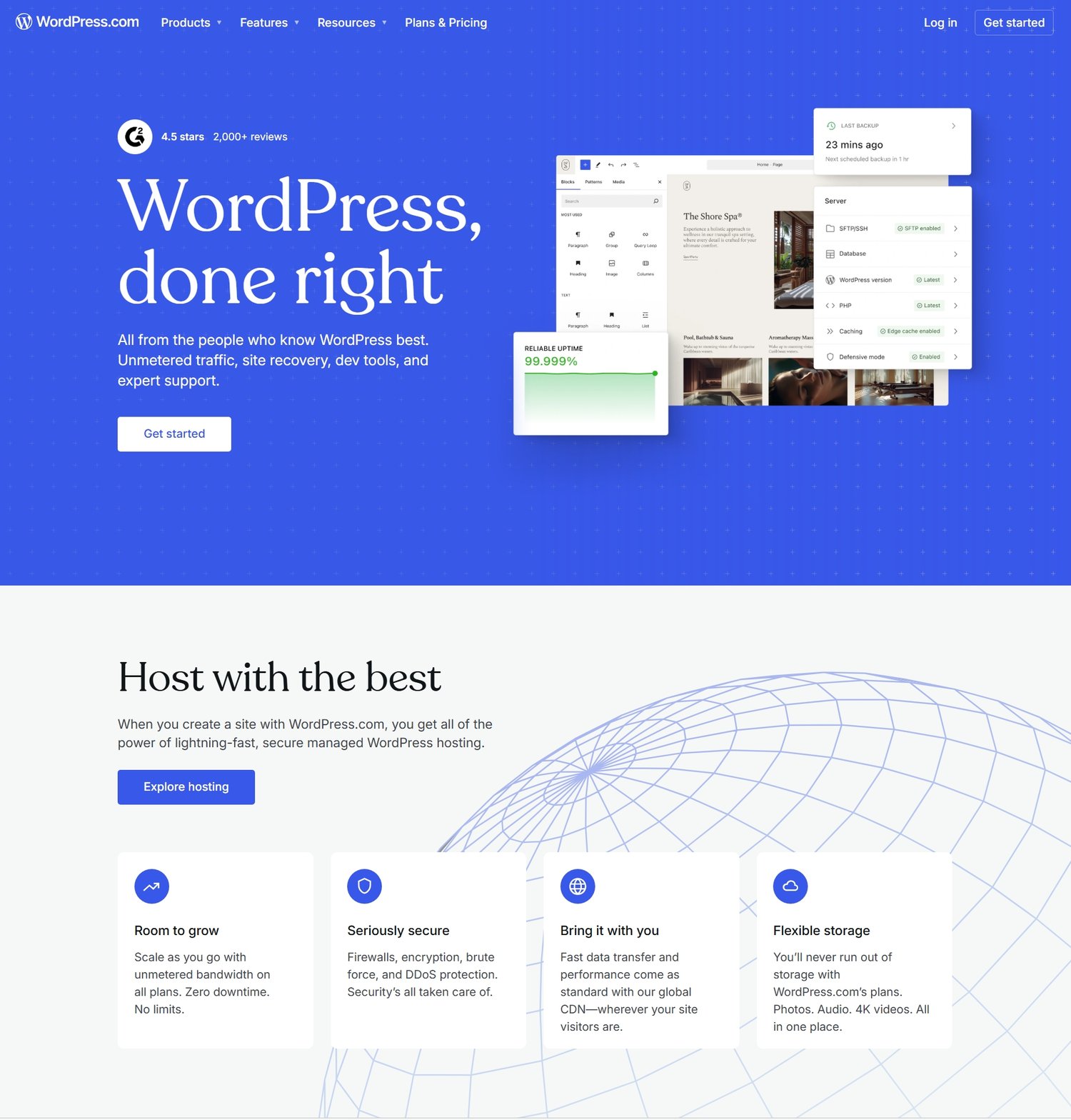
WordPress.com is a fully hosted website-building platform built on top of the WordPress ecosystem.
Unlike WordPress.org, which requires self-hosting, WordPress.com handles all the technical infrastructure for you, including:
- Hosting
- Security
- Updates
- Backups
- Performance optimization
This makes it significantly easier for beginners to launch a website without dealing with servers or technical maintenance.
In 2026, WordPress.com has evolved into a powerful platform that combines:
- Website builder simplicity
- Blogging CMS power
- Ecommerce functionality
- AI-assisted site creation
- Plugin and themes support
Website Building Experience
WordPress.com block editor allows you to build pages using modular elements like text, images, buttons, and embeds.
You also can:
- Choose from pre-designed WordPress.com themes
- Customize layouts visually
- Use block-based editing (Gutenberg system)
- Create landing pages and blogs
- Add ecommerce pages with WooCommerce plugin and
- Build portfolios or business websites
AI Website Builder
Another significant upgrade in WordPress.com is its AI-powered website builder. This feature allows you to:
- Generate a full website from prompts
- Auto-create page layouts
- Suggest content structures
- Recommend design styles and
- Speed up initial setup dramatically
So, instead of starting from a blank page, you can now generate a functional website in minutes and refine it afterward. This significantly lowered the entry barrier for non-technical users.
Blogging Experience
WordPress.com remains one of the strongest blogging platforms in the world. It is built on the same foundation that powers WordPress.org, which means it retains strong publishing capabilities.
You get:
- Clean publishing editor
- Category and tag system
- Scheduled posts
- Media management
- SEO-friendly structure
- RSS feeds
- Content archiving
For bloggers, it still feels familiar, stable, and reliable.
Plugins and Customization
Historically, WordPress.com was seen as limited compared to WordPress.org. Plugins and customization were limited but not anymore. On all paid plans, you can now:
- Install plugins
- Install themes
- Add advanced SEO tools
- Use ecommerce extensions
- Integrate analytics systems
- Expand site functionality
This means you can now build much more than just a blog, you can build full business websites.
SEO Capabilities
WordPress.com continues to be one of the strongest platforms for SEO performance.
It includes:
- Custom meta titles and descriptions
- Clean permalink structures
- XML sitemap generation
- Mobile-friendly themes
- Fast hosting infrastructure
- Basic structured data support
- Integration with SEO plugins (available on all paid plans)
Because it is hosted on optimized infrastructure, WordPress.com sites tend to perform well in search rankings when combined with good content strategy.
Ecommerce and Monetization
WordPress.com now supports full ecommerce functionality through built-in tools and integrations.
You can:
- Sell physical products
- Sell digital downloads
- Create online stores
- Accept payments
- Build membership sites
- Run subscription models
It integrates with tools like WooCommerce, making it possible to scale into a full online business.
Hosting, Security, and Maintenance
One of WordPress.com’s biggest advantages is that everything is managed for you.
You don’t need to worry about:
- Server configuration
- Website backups
- Security patches
- Plugin conflicts
- Performance optimization
Everything is handled automatically in the background. This makes it especially attractive and helpful for beginners who want to focus purely on content or business growth rather than technical maintenance.
Pricing
WordPress.com offers multiple pricing tiers depending on features:
- Free plan: $0/month
- Personal plan: $4/month (billed yearly)
- Premium plan: $8/month (billed yearly)
- Business plan: $25/month (billed yearly)
- Commerce plan: $45/month (billed yearly)
WordPress.com also offers free domain for one year on their yearly plan.
Pricing increases based on:
- Storage
- Plugin access
- Ecommerce tools
- Monetization features
- Support level
While the free plan is useful for testing, serious bloggers and business owners will need a paid plan to unlock full functionality.
Pros and Cons of WordPress.com
Pros
- Extremely beginner-friendly setup
- Fully hosted (no technical maintenance)
- Strong blogging foundation
- AI website builder support
- Plugin access on paid plans
- Built-in security and backups
- Scalable for business websites
Cons
- Less control than WordPress.org
- Some advanced features locked behind higher tiers
- Limited server-level customization
- Can become expensive as you scale
Who Should Use WordPress.com?
WordPress.com is ideal if you:
- Want a simple way to start a blog or website
- Don’t want to deal with hosting or technical setup
- Prefer managed security and updates
- Want an all-in-one platform with scaling options
- Are building a personal brand or small business site
It is less ideal if you:
- Want full server-level control
- Plan to heavily customize backend systems
- Want unrestricted plugin usage
- Prefer self-hosted infrastructure ownership
Is WordPress.com Worth It in 2026?
Yes, WordPress.com is still one of the best entry points into website building in 2026. Most creators no longer want to manage infrastructure, they want to publish, grow, and monetize.