Dub Review: How to Create Branded Affiliate Links for Free
Learn how to create cleaner, branded affiliate links with Dub, organize your links, track clicks, and manage your affiliate URLs from one place.

Want a fast, beautiful blog without the tech stress? Ghost is the platform I personally use and recommend. Built for independent bloggers, it comes with everything you need and nothing you don't.
One way to show that you're a professional blogger is having clean affiliate links. Not just because they look beautiful, but because it shows that you are tracking your marketing efforts.
If you've ever copied an affiliate URL, you most likely ended up with a long string of letters, numbers, tracking parameters, and random characters.
Affiliate links most times looks messy and while you can share that link as it is, it doesn't exactly look professional and makes it difficult for you to actually get the correct information on how many times your link was clicked, the exact source, country, city, device, browser and even more data.
This is where a branded link shorteners can help.
Dub is a link management and analytics platform that allows you to create short, branded links, track clicks, manage redirects, and organize your links from one dashboard.
For bloggers, it's particularly useful when you're managing affiliate links across multiple blog posts, newsletters, social media profiles, and other platforms.
And the good news is that you can get started with Dub for free.
In this Dub review, I'll show you what the platform does, how to create a branded affiliate link, what features you can use, and whether Dub is worth adding to your blogging toolkit.
What Is Dub?
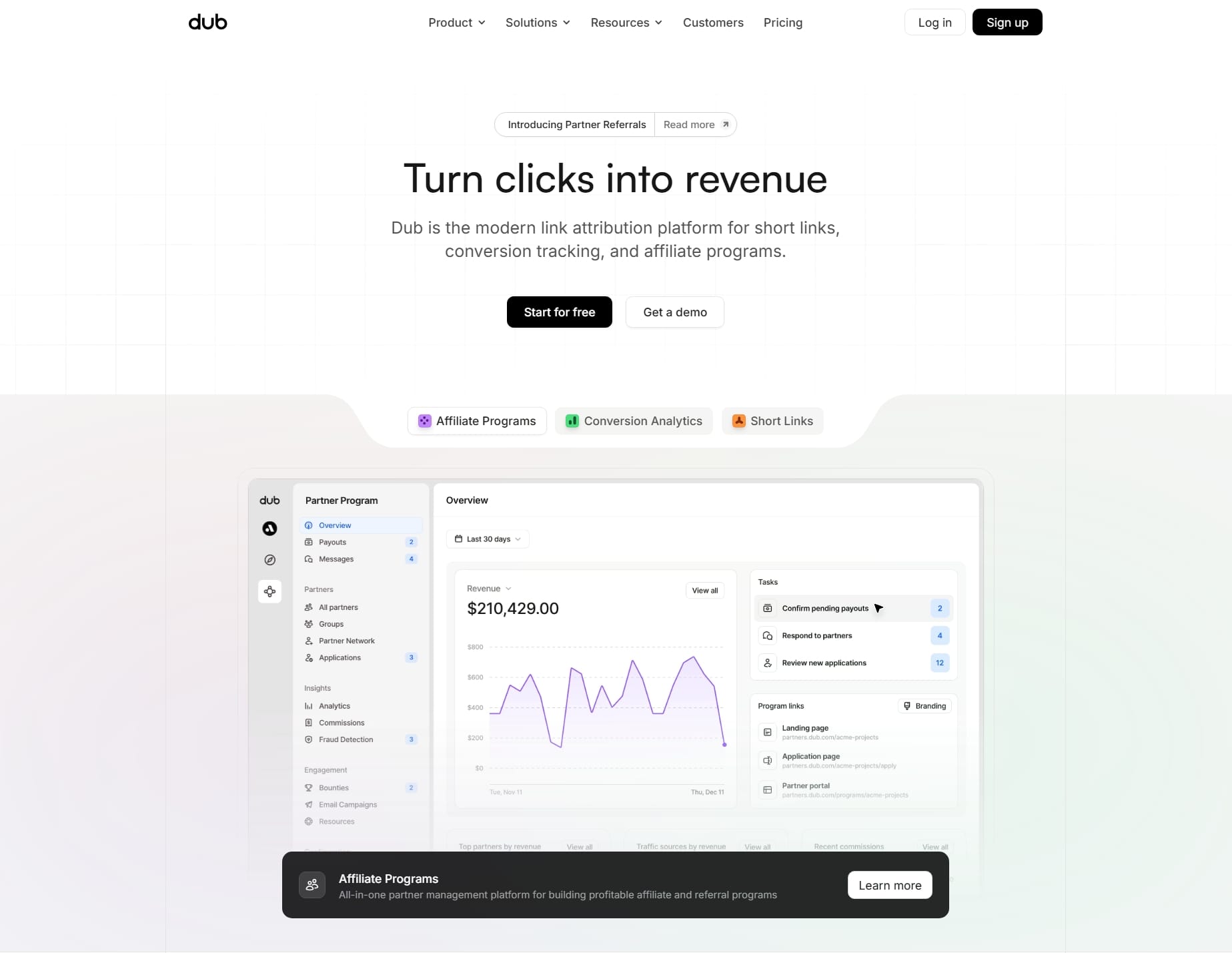
Dub is a modern link management platform designed to help individuals and businesses create, organize, share, and track links.
You can use Dub to turn a long URL into a short and cleaner link.
For example, instead of sharing my long Fiverr affiliate link:
https://go.fiverr.com/visit/?bta=1145070&brand=fiverrmarketplace
I created something much easier to remember and share, such as:
The destination will still be my affiliate URL. Dub simply gives me more control over the link people see and the destination it points to.
It doesn't only work with subdomains; you can use a root domain like thesolobloggerlinks.com. Dub Pro Plans also gives you a free yourbrand.link domain but I prefer to use to my subdomain go.thesoloblogger.com.
Beyond link shortening, Dub includes analytics, link organization (through tags & folders), redirects, QR codes, custom link previews, deep linking and other tools designed for managing links at scale.
Note that you don't have to use it only for affiliate links. It can be useful for other parts of your blogging business too.
For example, you could create branded links for:
- Your digital products — Link to ebooks, templates, courses, or other products you sell.
- Your newsletter — Create a simple link such as
go.yourblog.com/newsletterinstead of sharing a long signup URL. - Free resources — Use branded links for checklists, guides, templates, or lead magnets.
- Sponsorships — Create trackable links for sponsored campaigns and partnerships.
- Social media — Use shorter, cleaner links when sharing blog posts or resources on X, Pinterest, Facebook, or other platforms.
- Blog tools and resources — Create easy-to-remember links to tools, services, and resources you regularly recommend.
- Campaigns — Create different links for different promotions so you can see which ones are getting clicks.
This makes Dub more than just an affiliate link tool. It can become a simple link management system for your blog, especially as your website grows and you start promoting more products, resources, and offers.
Why Should Bloggers Use Branded Affiliate Links?
There are several reasons I'd advise you as a blogger to make use of branded links.
1. They look more professional
The second one is much easier to understand and type at one glance.
A clean URL can also look better in blog posts, newsletters, social media posts, and promotional materials.
2. They're easier to remember
If you're regularly recommending the same products, creating memorable links can make them easier for you and your audience to recognize.
When you have links such as:
It creates a consistent system across all your content.
3. You can update the destination
One of the biggest advantages of using a redirect is that you don't necessarily need to replace the original link everywhere you've published it.
For example, imagine you've recommended an affiliate product in 20 blog posts, social media posts and even in your about page and recommendation page.
If the destination URL changes, you can update the redirect rather than manually hunting through every article.
4. You can track clicks
Dub also provides real time analytics more than any other link shortener tool, allowing you to see how your links perform.
This can help answer questions such as:
- Which affiliate links are getting clicked?
- Which blog posts generate the most affiliate traffic?
- Which campaigns are actually getting attention?
- Which country is my traffic coming from?
- What city in a specific country?
- What device are they using?
- What are the triggers?
Analytics won't tell you everything about your affiliate revenue, since conversions and commissions are usually tracked by the affiliate program itself, but click data can still help you understand what your audience is interested in so you can channel your effort to the right direction.
How to Create a Branded Affiliate Link With Dub
Let's get into the hands-on part. I'll walk you through the basic process of creating a new account and branded affiliate links with Dub.
Step 1: Create Your Free Dub Account
Head over to the https://dub.co/ and click "Sign Up".
With my partner link: https://go.thesoloblogger.com/dub you can save 20% off three months.
I'd advise you to sign up to their yearly plan to save more money and get 12x usage upfront. I always do this across different software that I'm sure I'll be using.
You can start without immediately paying for a premium plan. Dub has a free plan that supports up to three custom domain connection with limited tracking and analytics retention.
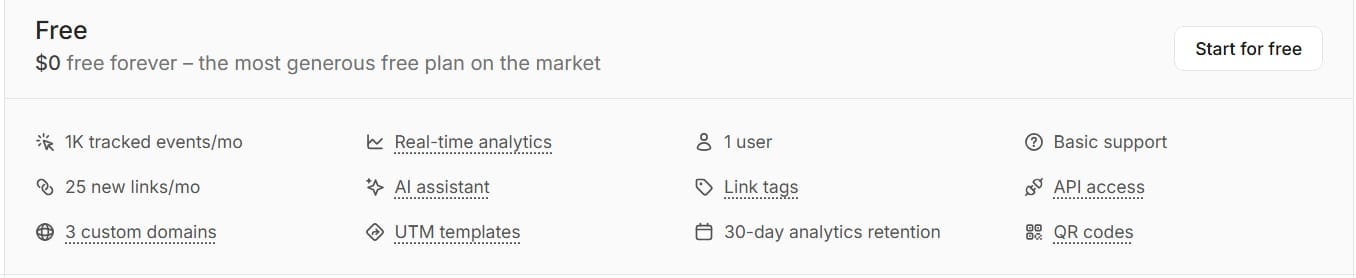
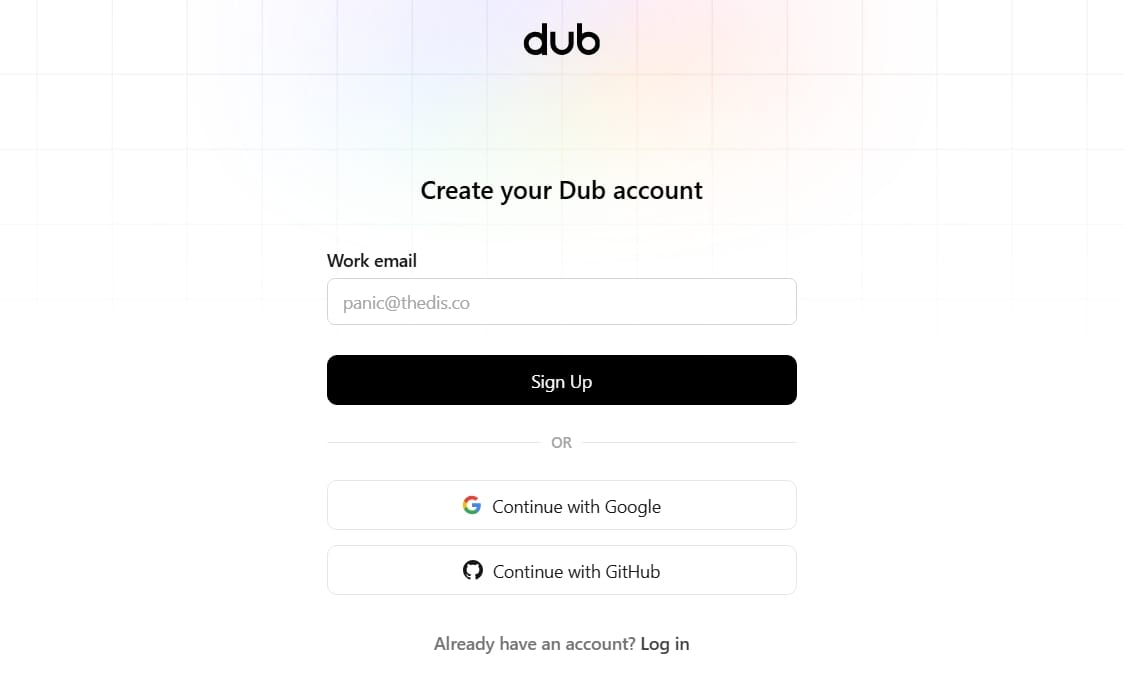
I created a new Dub account using one of my Gmail accounts for the purpose of this tutorial. Whichever way you decide to sign up you'll end up in their onboarding section where you'll be creating your free workspace.
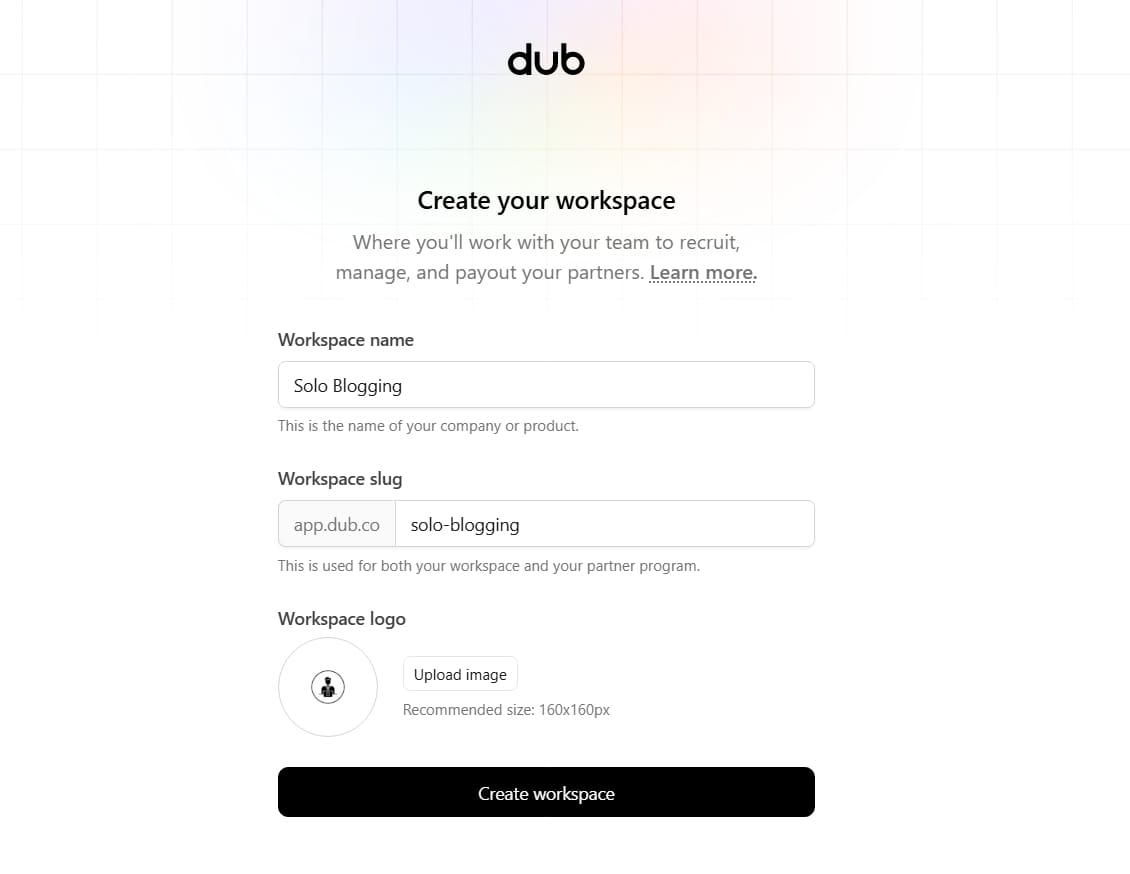
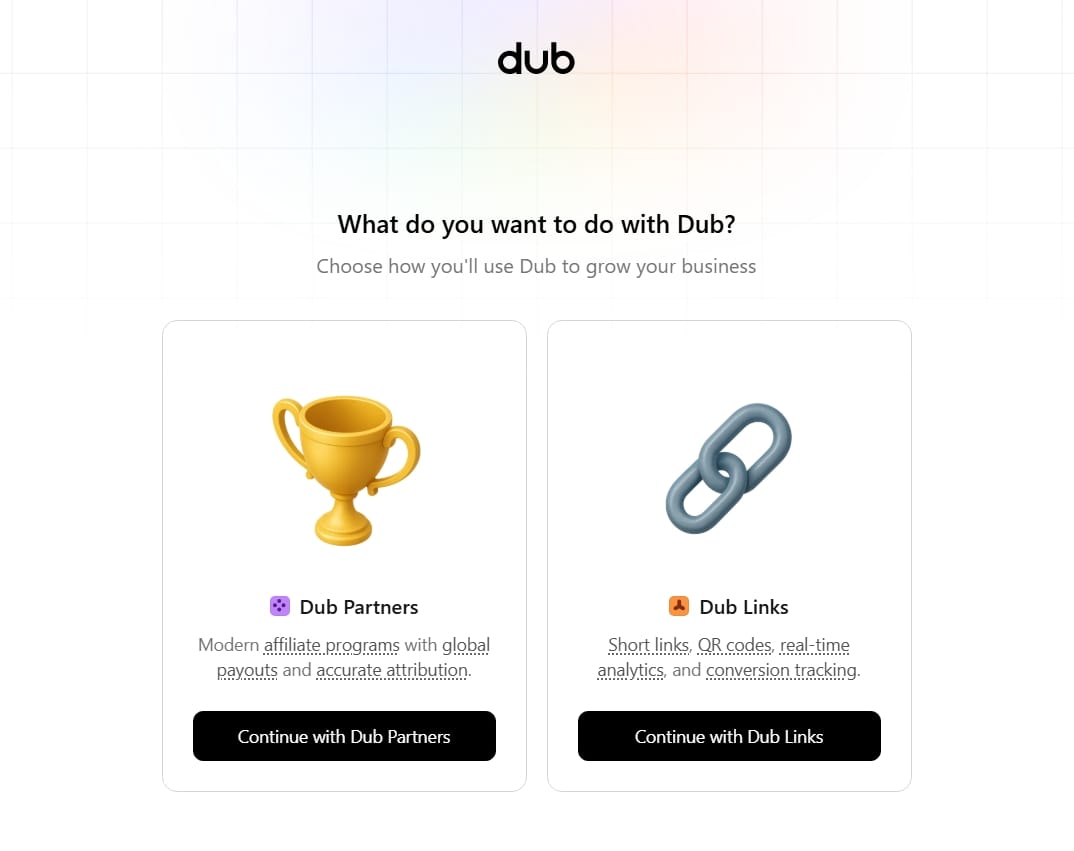
After creating your workspace, you'll need to choose what you want to do with Dub. While you'll still have access to both features of Dub on your main dashboard, continue with Dub Links since that's what this tutorial is about.
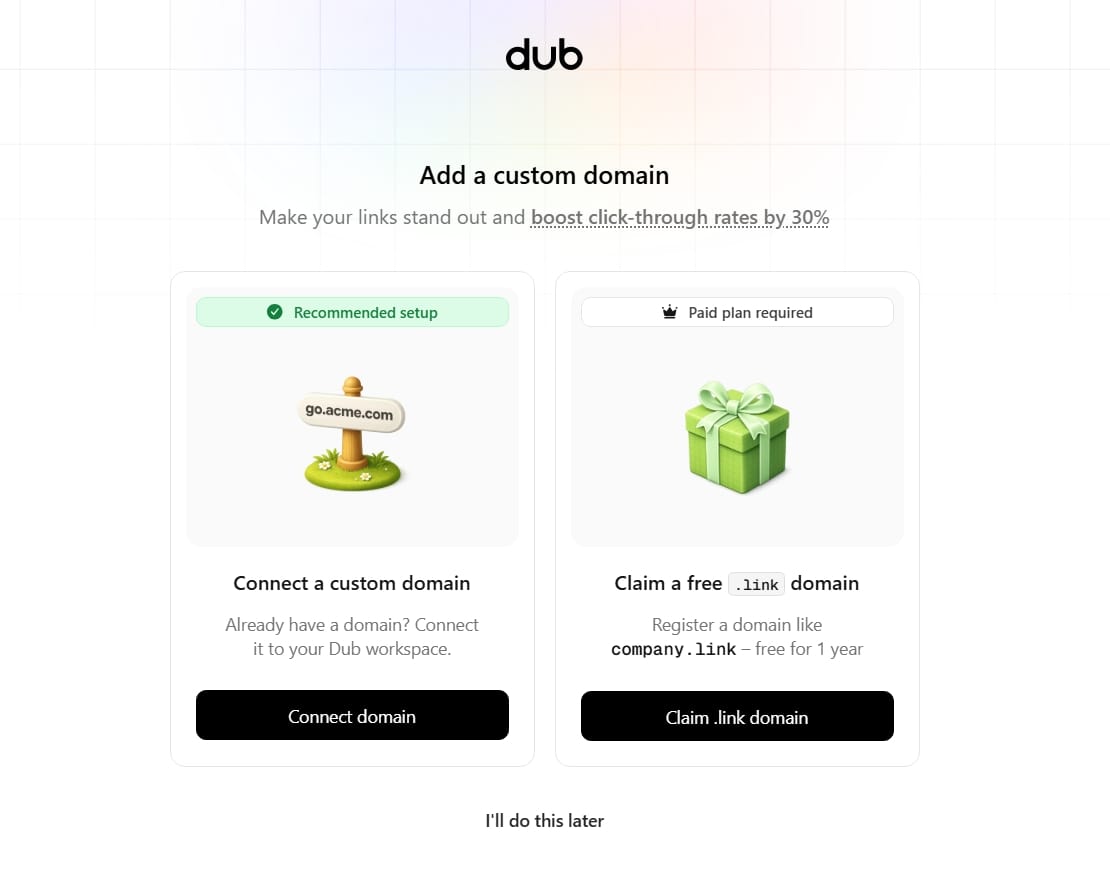
Next, you'll be asked to connect a custom domain, but you can always skip the process.
The last step is to choose a plan which you can also skip to make use of their forever free plan.
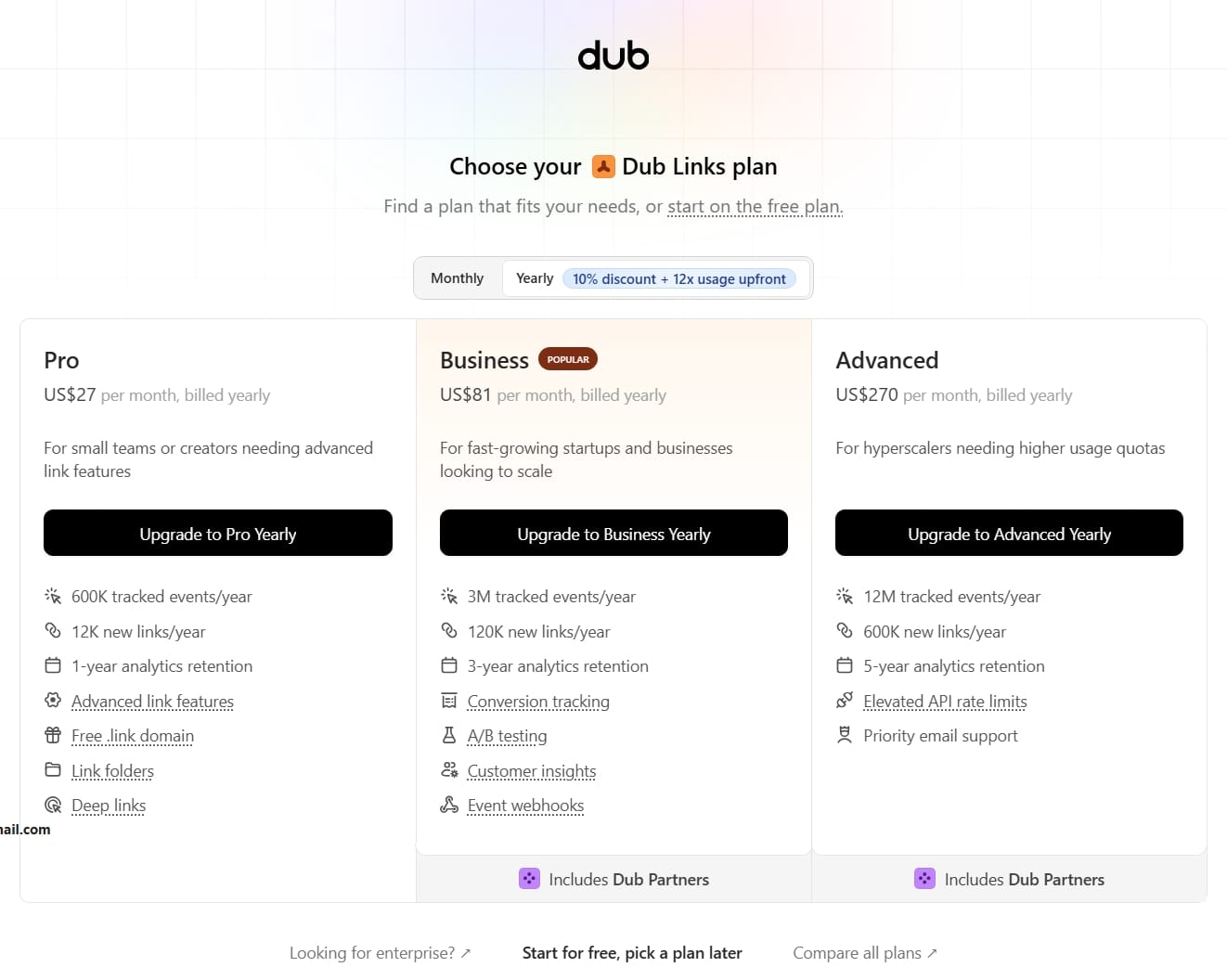
After choosing a plan, you'll be redirected to your main dashboard.
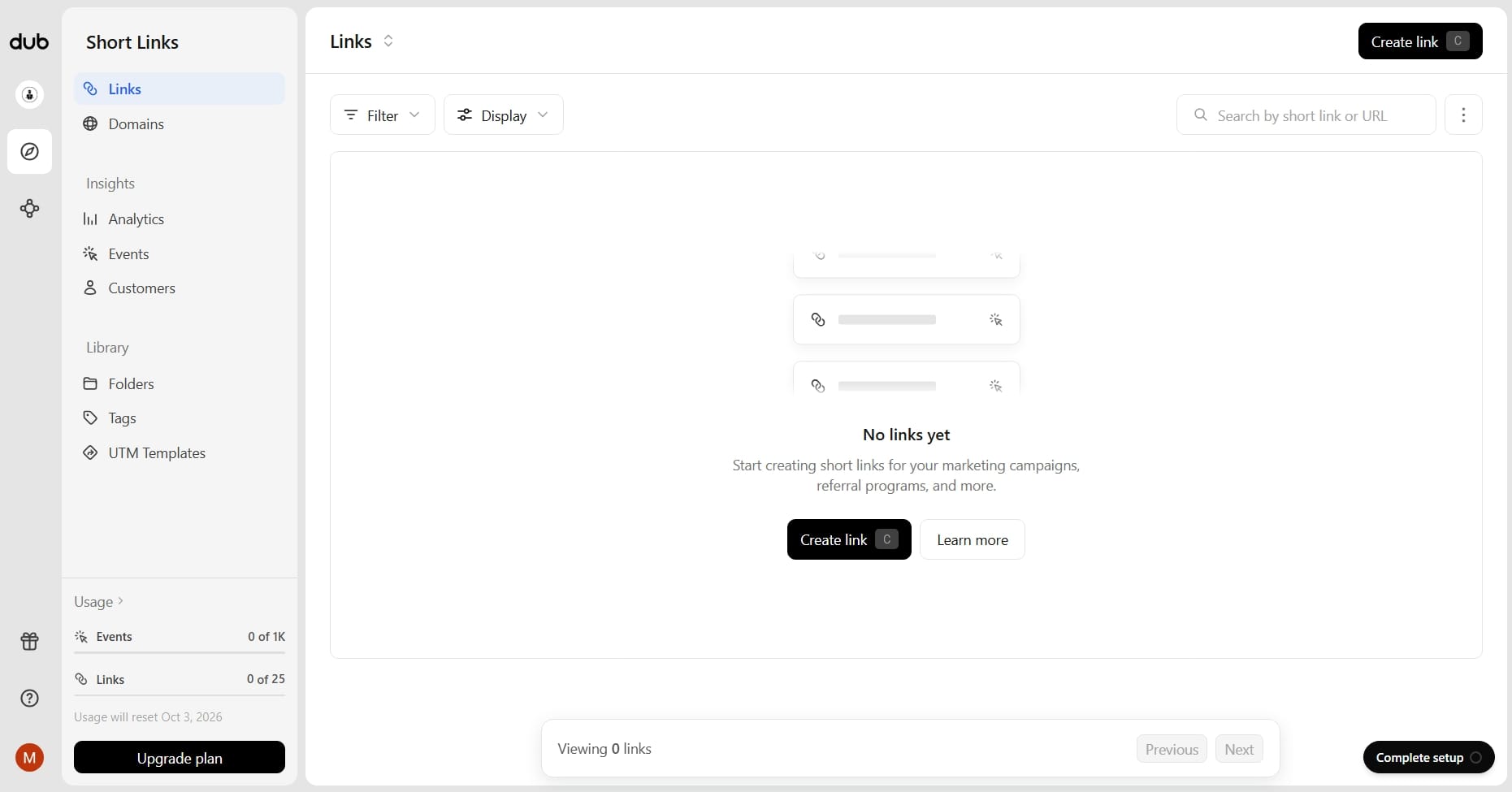
The dashboard is where you'll manage your links, domains, analytics, and other settings.
One of the reasons I immediately loved Dub is their user interface. Its relatively clean, which is important when you're going to be managing lots of links.
Step 2: Add Your Domain
To create truly branded links, you'll want to connect a domain you own.
To do that, in your dashboard click on "Domains" and you'll see the option to add a custom domain and option to also claim your free .link domain.
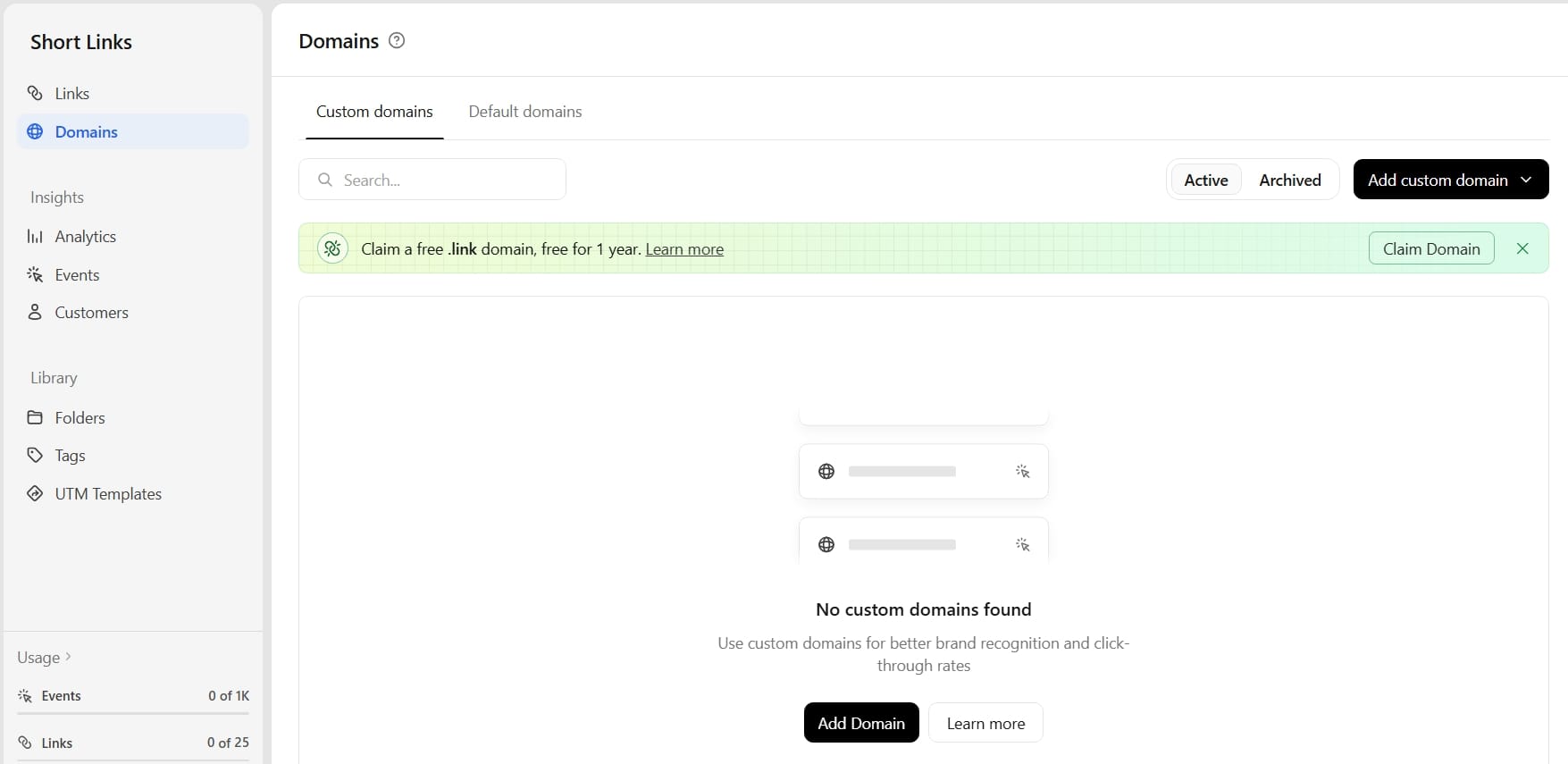
Once you've added your custom domain, you'll need access to your domain's DNS settings to complete the setup by verifying you're the owner.
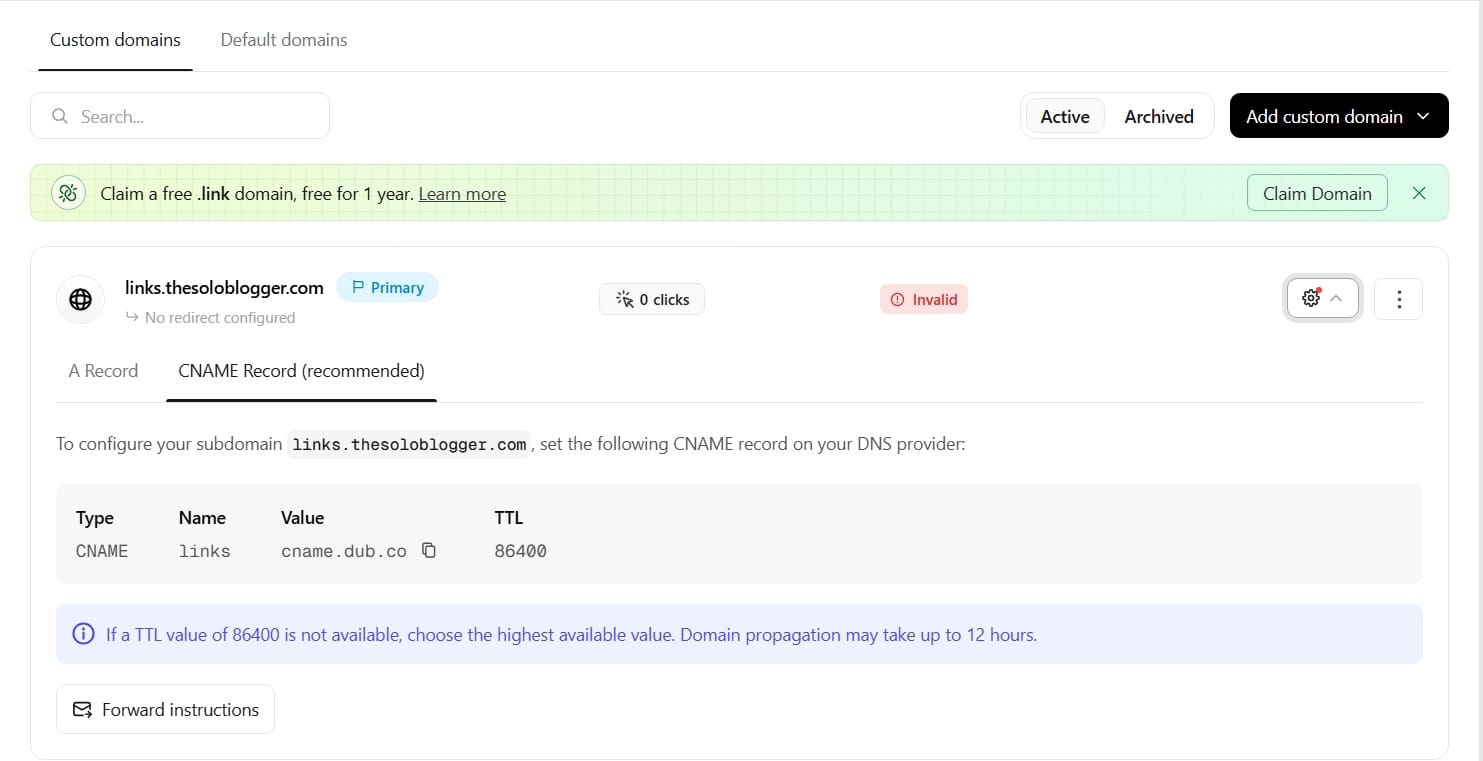
If you're using a domain provider such as Namecheap like me, you'll typically make the required DNS change from your domain management area.
Head over to your Namecheap dashboard → Domain List → Select the domain you want to make use of and click "Manage" → Advanced DNS.
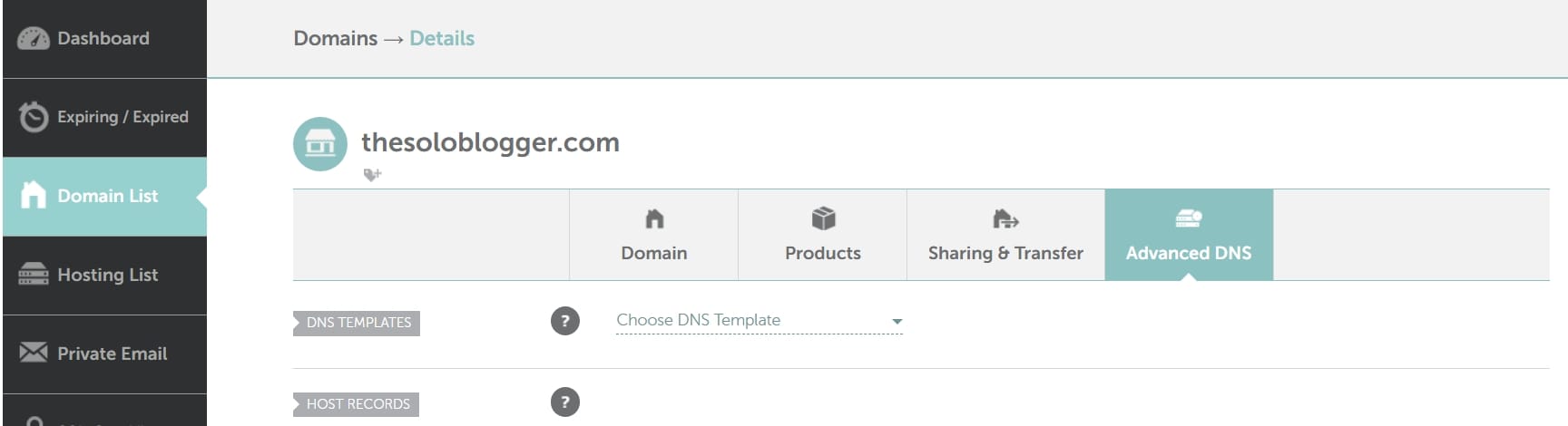
Under Advanced DNS locate Host Records and then add a new record.

After you've added the records, you should see the "Invalid" status change to "Active" and you're done.

Step 3: Create a New Link
Once your domain is connected, head over back to "Links" to create a new link.
You'll generally need two important pieces of information:
- Destination URL: Your original affiliate URL.
- Short link: The branded path you want people to see.
The important part is that Dub redirects visitors from your branded URL to your affiliate URL.
Step 4: Customize Your Slug
This is where you can make your affiliate links much easier to understand.
Instead of allowing the system to generate a random string, choose a short and meaningful slug.
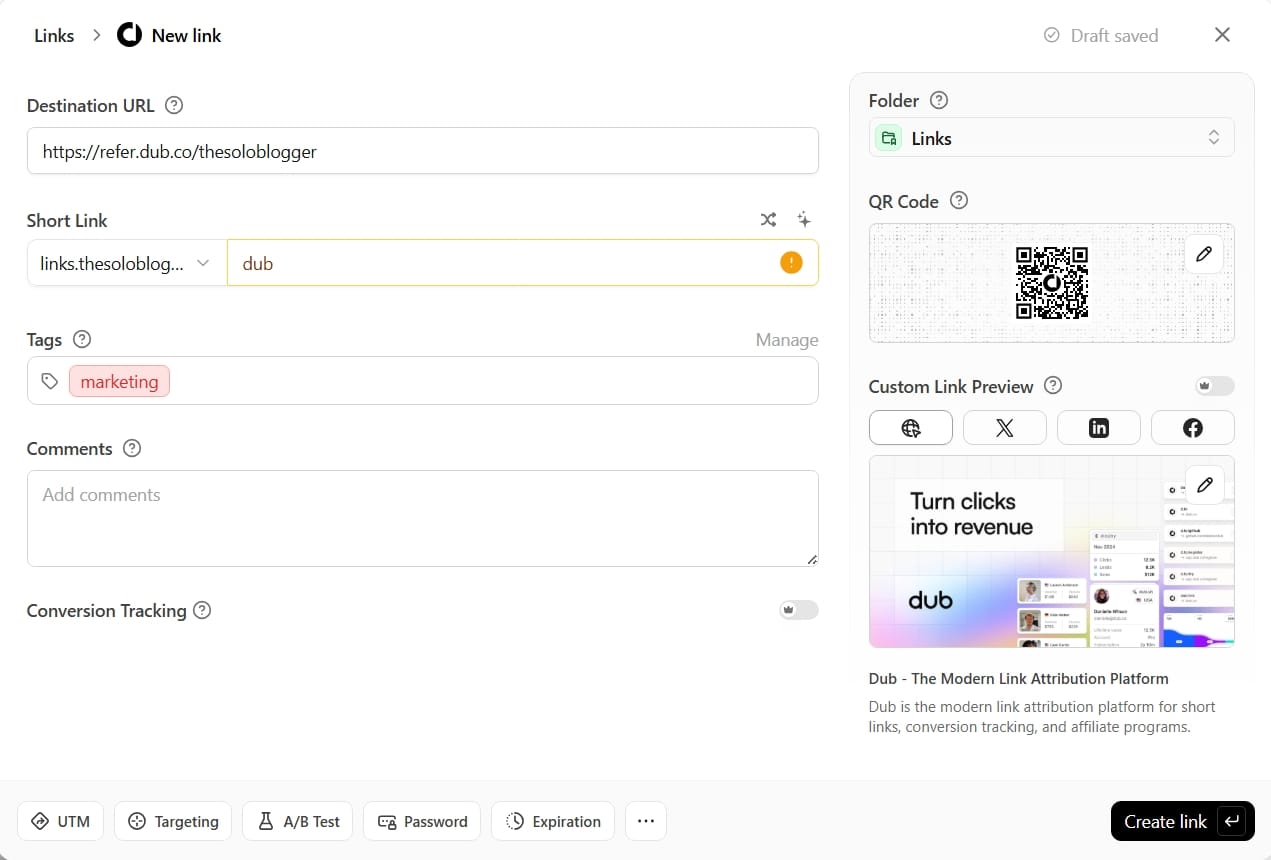
For example:
Destination: https://refer.dub.co/thesoloblogger
Branded link: https://links.thesoloblogger.com/dub
If you're creating a link for an SEO tool, for example, something like:
/seo
may be easier to manage than:
/go/best-seo-tool-for-bloggers-2026
Step 5: Save Your Link
Once you've entered the destination URL and customized your branded path, save the link.
Your new branded affiliate link should now be ready to share.
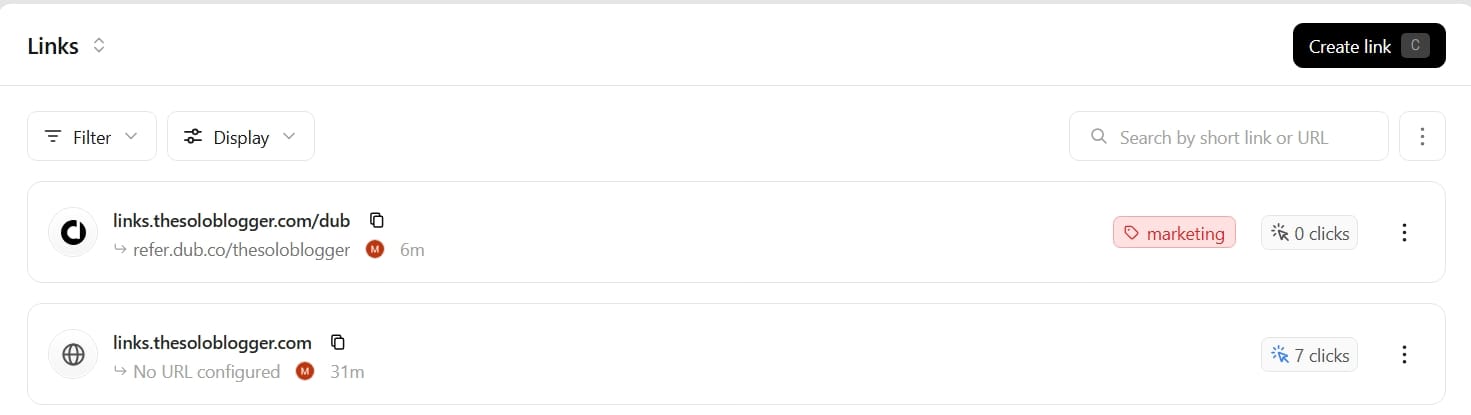
You can place it inside blog posts, resource pages, newsletters, social media content, or anywhere else you're permitted to promote the affiliate offer.
Just remember to follow the rules of the individual affiliate program you're promoting.
Some affiliate programs have specific requirements about link cloaking or URL redirects, so always check their terms before using a branded redirect.
Dub Features You Should Know About
Dub isn't only a URL shortener. It includes several features that become more useful as your blog grows.
1. Link Analytics
Dub provides analytics for your links, allowing you to see how many clicks you're receiving and understand which links are getting the most attention.
This can help you identify which affiliate recommendations, campaigns, or content placements are driving the most clicks.
2. Custom Domains
While Dub gives you a long list of free domains to use to shorten your URLs.
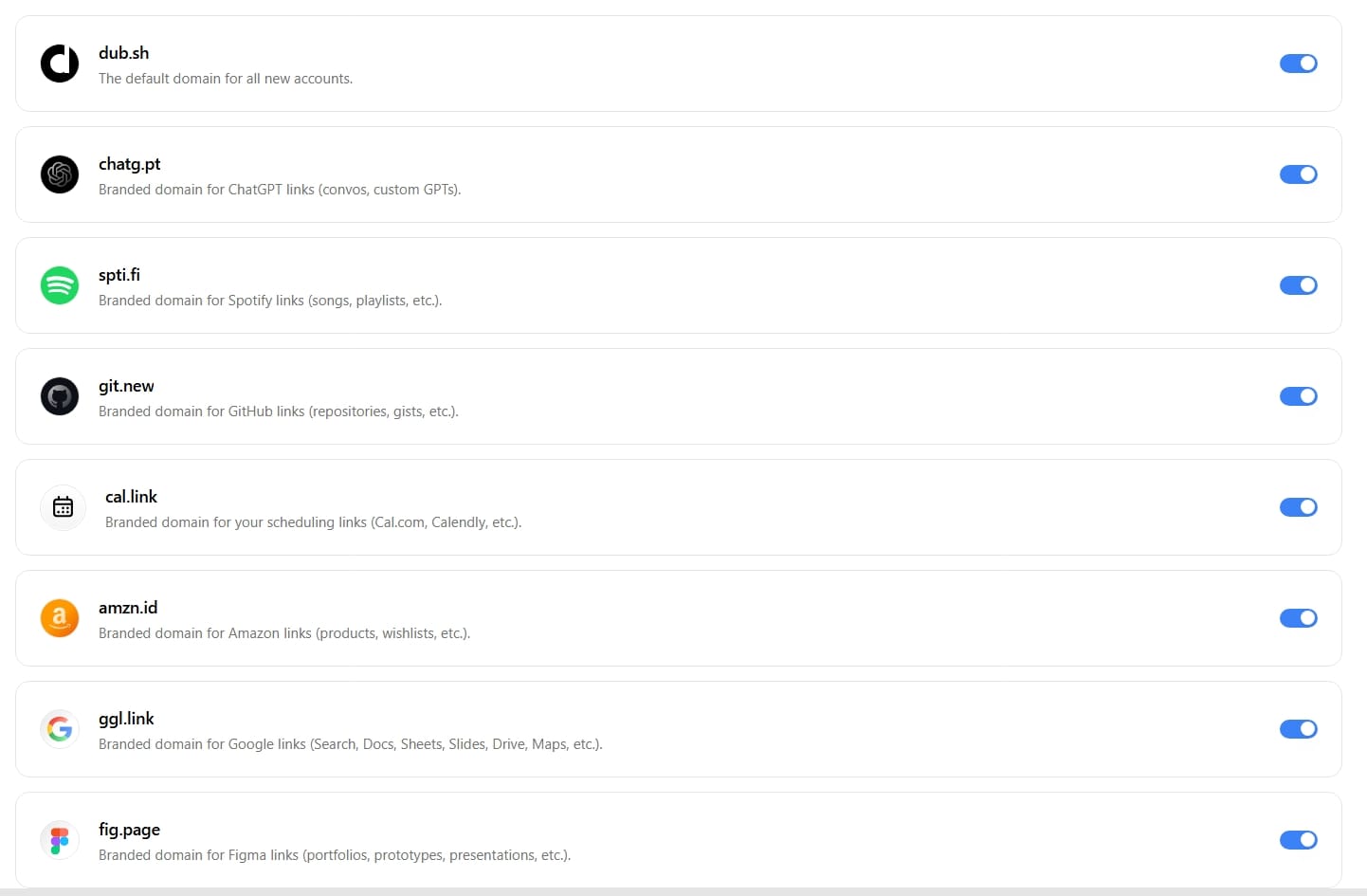
You can connect a domain or subdomain you own for free and use it for your branded links.
Dub also offers a free .link domain for one year from their Pro Plan, giving you another option for creating branded links without purchasing a separate domain immediately.
3. Link Organization
If you're managing affiliate links, sponsored campaigns, ads, products, and other promotional URLs, keeping everything organized can quickly become difficult.
Dub gives you a central place to organize and manage your links through tags and folders, making it easy to find the right URL when you need it.
4. QR Codes
You can also generate QR codes for your links, which can be useful when promoting your blog, products, resources, or affiliate offers offline.
You could add a QR code to a presentation, printable resource, business card, or event material and send visitors directly to your chosen destination.
5. Deep Linking
Deep linking lets you send visitors directly to a specific page or destination rather than simply directing them to a website's homepage.
This is useful when promoting specific products, articles, landing pages, or other resources where sending visitors to the exact destination creates a better experience.
6. Link Cloaking
This is useful when you want to show your brand or custom domain instead of the actual destination URL. When this is enabled, your short link will be shown in your users’ browser address bar when they visit your link instead of the destination URL.
However, you should always check the terms of your affiliate programs before using cloaked or redirected affiliate links, as some programs have restrictions around this practice.
7. Link Expiration
Some links only need to be active for a limited period. Dub's link expiration feature allows you to set links to stop working after a specified time. This is perfect for temporary promotions, limited-time campaigns, event registrations, or seasonal offers.
8. Password-Protected Links
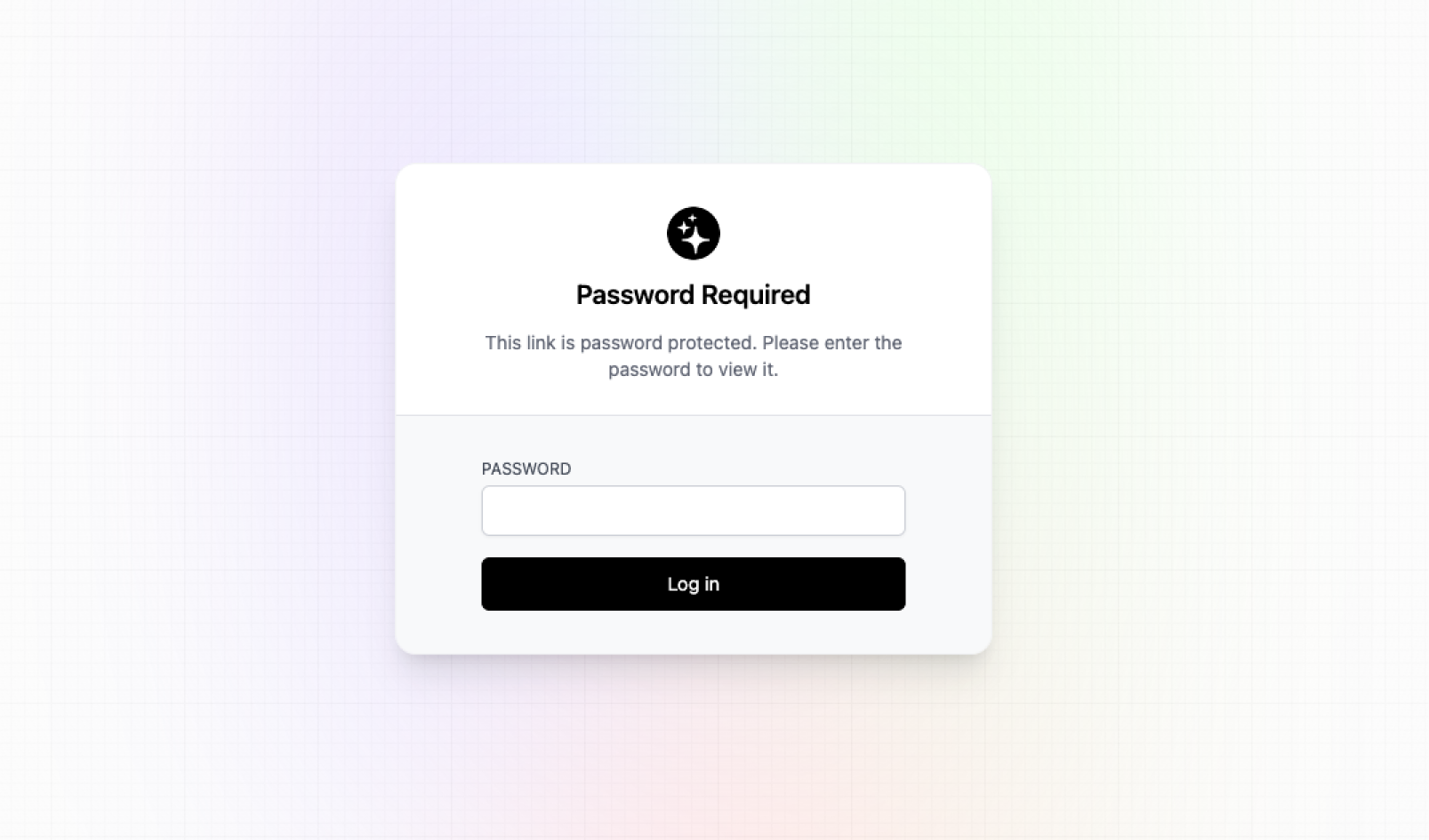
You can protect certain links with a password, adding an extra layer of control over who can access the destination.
This can be useful when sharing private resources, exclusive content, or links intended for a specific audience.
9. A/B Testing
Dub supports A/B testing, allowing you to test different destinations and compare how visitors respond.
For bloggers and marketers, this can help you experiment with different landing pages, offers, or destinations to determine which performs better.
10. Geo-Targeting
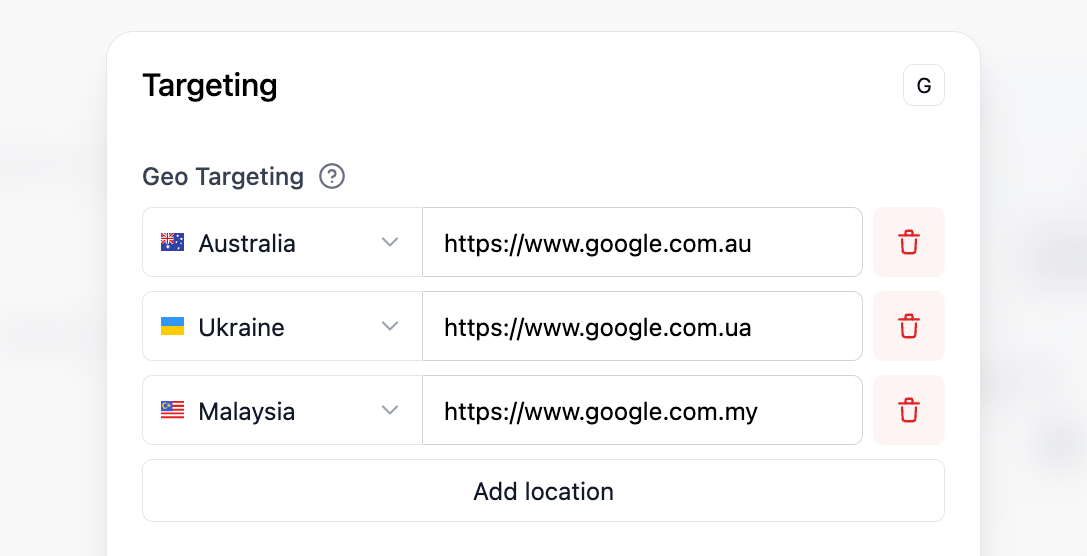
Geo Targeting is a powerful feature that lets you redirect your readers to different links based on their location.
This is useful if you want to do location-based personalization. For example, you can redirect UK users to a UK-specific landing page, with the rest of the world going to your global landing page.
11. Device Targeting
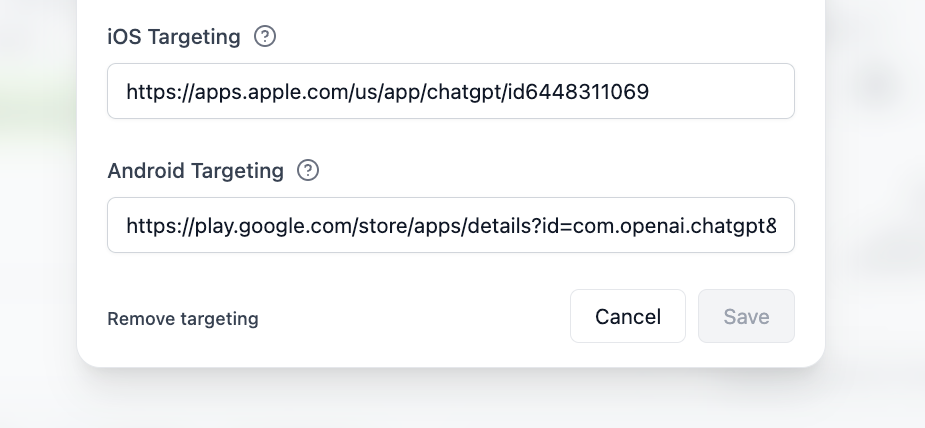
With device targeting, you can send visitors to different URLs depending on the device they’re using. For example, you can set a custom destination URL for iOS devices and a different URL for Android devices.
12. Affiliate and Influencer Partnership Management
Dub also includes tools for managing affiliate and influencer partnerships for SaaS companies.
This can be particularly useful if your blog grows beyond promoting other companies' affiliate programs and you eventually start running your own affiliate or creator partnerships.
Instead of managing every partnership separately, you can use Dub to help organize and track the links and campaigns associated with your partners.
Dub Pricing
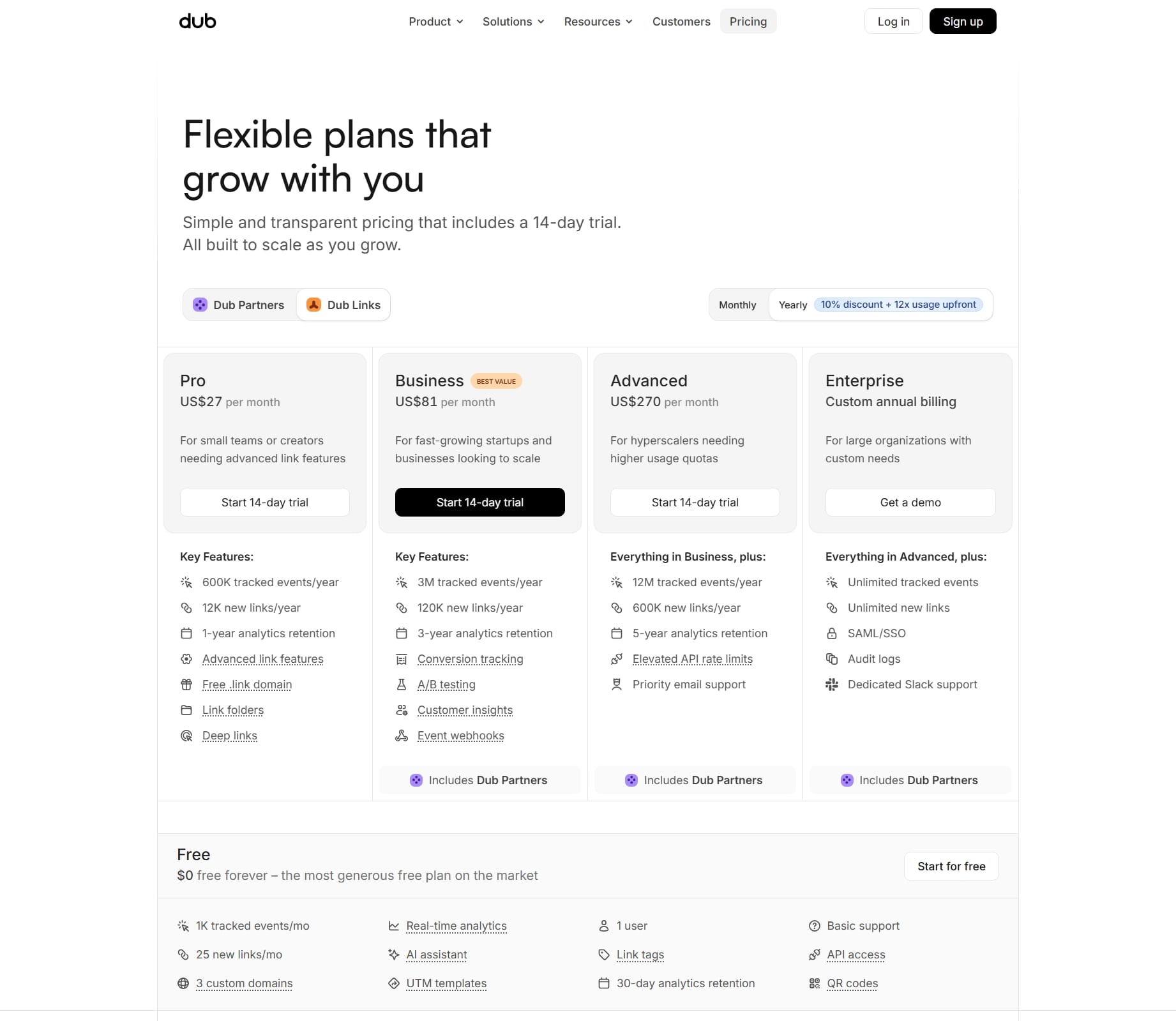
Dub offer a free and free trials for its paid plans, so you can start experimenting with branded links without immediately committing to a subscription.
For a new blogger, the free plan can be a good way to see whether Dub fits your workflow. You can create links, connect your link management setup, and get familiar with the dashboard before deciding whether you need more advanced features.
As your blog grows, Dub's paid plans are designed for users who need higher limits and more advanced link management, analytics, domains, and team or business features.
Before choosing a plan, check Dub's official pricing page because pricing, limits, and included features may change.
Which DUB Plan Should Bloggers Choose?
| Blogger type | Recommended approach |
|---|---|
| Just starting with affiliate marketing | Start with the Free plan |
| Managing several affiliate links | Free plan first, then upgrade if you reach the limits |
| Running a larger affiliate website | Consider a paid plan for higher limits and advanced features |
| Managing links for a business or team | A paid plan may be more appropriate |
I wouldn't recommend paying for Dub simply because you're a blogger. If you only have five or ten affiliate links, the free plan may be all you need. The value becomes more obvious when you're managing a growing collection of links and want better organization, tracking, and control.
Is Dub Worth It for Bloggers?
Yes, no doubt Dub is worth considering if you're building a blog that uses affiliate marketing, sponsored campaigns, products, or multiple promotional links.
The biggest advantage isn't simply making a URL shorter. It's having control over the links you're sharing.
For a new blogger with only a few affiliate links, you can make good use of Dub free plan from day one and as your blog grows you can upgrade to a paid plan.
Create your first branded affiliate link with DUB →
Recommended Posts:
- Learn All About Affiliate Marketing as a Blogger
- Tailwind Review: Complete Tutorial
- How to Write Blog Posts 10x Faster
- 10 Best Ecommerce Tools for Bloggers Selling Digital Products
- 12 Free Traffic Sources for Bloggers
- 10 Proven Online Business to Make Money Online
- Firstbase Review: Register Your Blog
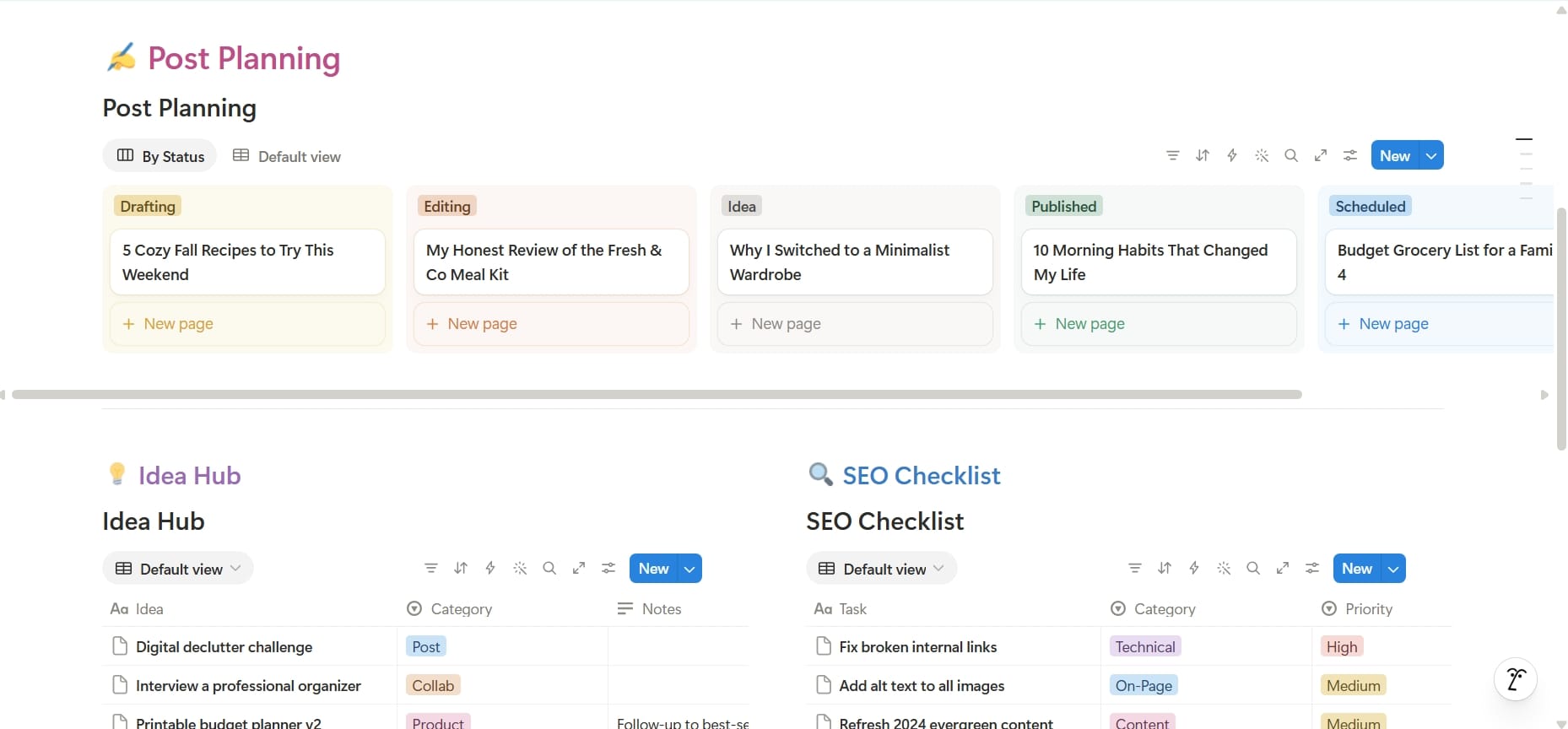
Blogger Business OS
Run your entire blogging business from one organized Notion workspace.
What's inside?
- Content and post planning
- Blog idea hub
- Affiliate link manager
- SaaS subscription tracker
- Business expense tracker
- Sponsorship management
- Product tracker
- Lead management
- Guest post management
- Tasks and milestones
- SEO checklist
- Blogging niches library and idea bank
- Landing page management
- Blog website landing page
- Important websites database
- Blogging business plan
- Business calendar
- Improvement tracker
- Employee database
- Website and site manager
- Recommendations and resources for readers
Whether you're starting your first blog or already running multiple websites, this template gives you a central place to organize the business side of blogging.
Plan better. Stay organized. Spend less time searching for information and more time growing your blog.
You might also like
9 Best Membership Software for Bloggers Compared
Looking for a way to turn your blog into a paid community, newsletter, course, or membership? Here are 9 membership platforms worth considering, organized by the type of experience you want to build.
How to Get a Free Business Email for Your Blog
Want a professional email like hello@yourblog.com without spending a fortune? Here's how bloggers can set up a custom business email using their own domain.
How to Choose the Best Blogging Platform as a Beginner (What Actually Matters in 2026)
Choosing the wrong blogging platform can make growing your blog much harder than it needs to be. This guide explains the key features to compare before making your decision.