How to Get a Free Business Email for Your Blog

If you're running a blog or looking forward to starting one, having an email address such as hello@yourblog.com looks a lot more professional than using a personal Gmail or Yahoo address.
It can also make your blog feel like an established brand, even if you're still working on growing your audience. The good news is that you don't need to pay for an expensive business email service to get started.
You can create a free custom business email with Zoho Mail using a domain you already own, such as:
In this guide, I'll show you how to get a free business email for your blog, what you need before you start, how to get a domain if you don't already have one, and how to connect everything together.
I'll also share a few other tools I recommend for building and growing a blog.
What Is a Business Email?
A business email is an email address that uses your own domain name instead of a free email provider's domain.
For example:
Personal email: yourblog@gmail.com
Business email: hello@yourblog.com
The second option looks more professional because it uses your own website domain. You can use different names depending on how you want to use the address:
hello@yourblog.comcontact@yourblog.cominfo@yourblog.comadmin@yourblog.comfaye@yourblog.comcollab@yourblog.com
For most bloggers, hello@yourblog.com or contact@yourblog.com is a simple place to start.
Why Should Your Blog Have a Business Email?
Here are a few good reasons you should consider creating a business email for your blog.
1. Because It Looks More Professional
If a brand, reader, advertiser, or potential partner wants to contact you, an address connected to your website makes your blog look more established.
There's nothing wrong with using a regular Gmail, but your own domain creates a stronger connection between your email address and your brand.
2. It Builds Trust
When someone receives an email from an address that matches your website, it's immediately clear who it's from.
This can be particularly useful if you're contacting:
- Brands
- Affiliate programs
- Sponsors
- PR companies
- Other bloggers
- Potential clients
- Business partners
3. It Keeps Your Blog and Email Brand Together
Your domain is already the home of your blog. Using the same domain for your email keeps your branding consistent.
Instead of having your website at one address and your business email somewhere completely different, everything connects back to your blog.
4. It's Free and Easy to Setup
While some business email providers charge you to setup one, Zoho Mail has a forever free plan that supports one domain connection, five users and 5GB storage for each user.
What Do You Need to Get a Free Business Email?
There are two main things you'll need:
- A domain name
- A Zoho Mail account
If you already own a domain, you don't need to buy another one just for your email address. You can use the domain you already have.
How to Get a Free Business Email with Zoho Mail
Because plans and availability can change, check Zoho's current offering when you sign up.
The basic process looks like this.
Step 1: Get Your Domain
If you already have a domain for your blog, you can move straight to the next step. But if you don't have one yet, you'll need to register one.
I personally use Namecheap to manage my domains, and it's an option worth considering if you need to register a domain for your blog.
Try choosing something that is easy to remember, easy to spell, relevant to your blog, not unnecessarily long and flexible enough to grow with your brand.
Once you've registered your domain, you'll be able to use it for both your website and your business email.
Step 2: Sign Up for Zoho Mail Free Plan
Go to Zoho Mail pricing page and scroll below their paid plans to find the free plan.
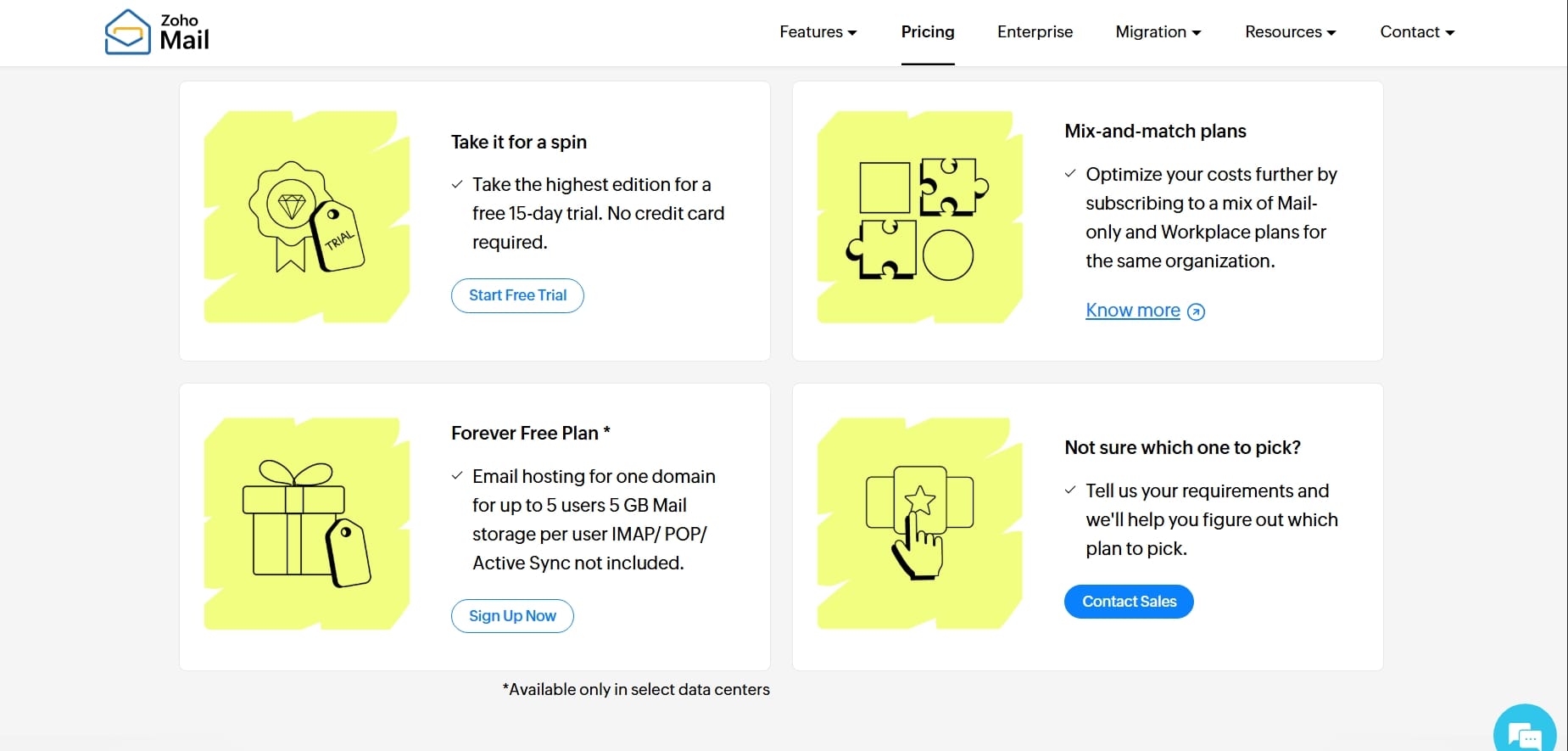
Choose the free option if it is available for your region and meets your needs. You'll then be asked to provide information about your domain and account.
The exact signup process can change, so follow the instructions Zoho provides during setup.
Step 3: Add Your Domain
During the setup process, Zoho will ask you to enter the domain you want to use. This tells Zoho which domain you want to connect to your email service. You don't need to buy another domain if your blog already has one.
Step 4: Verify That You Own the Domain
This is an important step. Zoho needs to verify that you actually own the domain you're trying to connect.
You'll normally be given a verification record to add to your domain's DNS settings. Once you've added it, Zoho can verify the domain.
DNS changes can sometimes take a little time to update, so don't panic if verification isn't instant.
Step 5: Create Your Business Email Address
Once your domain has been verified and your email service is configured, you can create your email address.
If you're the only person running your blog, you probably don't need ten different addresses. Start with one.
Step 6: Configure Your Email
You'll then be able to access your business inbox through Zoho's email interface and configure the account according to your needs.
You may also want to set up your email signature.
For example:
Faye
The Solo Bloggerthesoloblogger.com
You could also include your social profiles or other relevant business information. Keep your signature simple. There's no need to turn every email into a mini advertisement.
See more detailed tutorial on Zoho official website.
What Should Your Blog Email Address Be?
There isn't one perfect email address. Here are a few common options.
hello@
hello@yourblog.com
This is probably my favorite option for because it's friendly and works for almost anything.
contact@
contact@yourblog.com
A straightforward option if you mainly want an address for general inquiries.
info@
info@yourblog.com
A traditional business email address that can work for general questions.
yourname@
faye@yourblog.com
This is a good choice if you're building a personal brand and want your email to feel more personal.
collab@
collab@yourblog.com
This works if you regularly receive collaboration or partnership requests.
You don't need to create all of these. For a new blog, one professional email address is usually enough.
Where Can You Use Your Business Email?
Once you have your custom email, don't just leave it sitting in your inbox. Add it to the places where readers and potential partners may need to contact you.
Your Contact Page
Add your business email to your contact page so readers know how to reach you.
Your About Page
If you're open to business inquiries, you can include your email on your About page.
Social Media Profiles
Your business email can also be useful on your social profiles.
Affiliate Applications
Some affiliate programs may ask for information about your website and business. A custom email matching your website can make your application look more professional.
Sponsorship Opportunities
If you want to work with brands, make it easy for them to contact you. You could create a dedicated business or collaboration email address as your blog grows.
Your Email Signature
Use your custom address in your professional email signature.
Do You Need a Business Email if You're a New Blogger?
I think it's worth setting one up early. You don't need to wait until you're making money or working with brands. Your blog is a business asset from the moment you start treating it seriously.
A custom email address is a small investment in making the whole thing look more professional. And if you can get one without paying for another monthly email subscription, even better.
A Few Tools I Recommend for Bloggers
Once you've sorted out your domain and professional email, there are a few other tools worth knowing about if you're building a blog.
Ghost — My Favorite Blogging Platform
If you haven't created your blog yet, Ghost is the blogging platform I use and my favorite blogging platform.
I particularly like Ghost because it gives me everything I want from a blogging platform.
- Easy setup
- Simple and pretty user dashboard
- Great writing editor
- Search engine optimized
- Pretty website themes
- Built-in web analytics
- Easy migration
- Easy custom page setup and so much more
You can use it to:
- Publish blog posts
- Build an email list
- Send newsletters
- Create memberships
- Manage your content
- Customize your website
- Build a professional publication
If you're looking for a blogging platform and want something focused on writing and publishing, Ghost is the one I recommend.
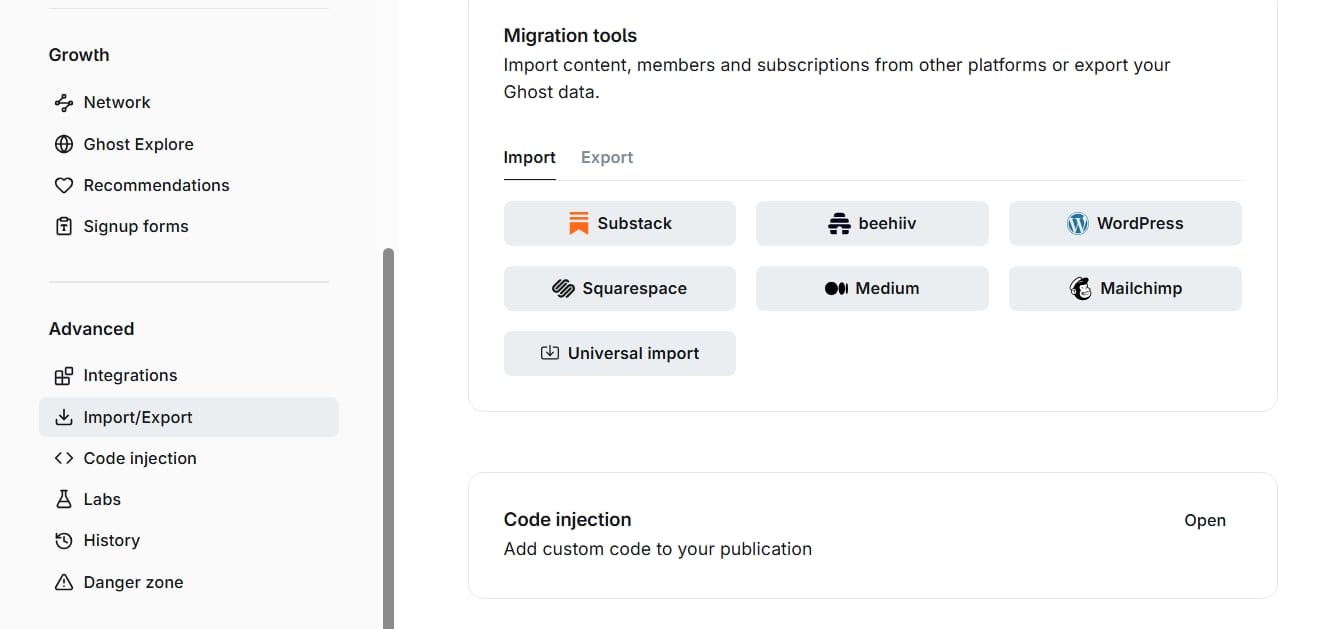
Migrating to Ghost is also very simple and straightforward, you can simply do that in your publication setting.
Moz — Free Keyword Research
Once your blog is up and running, you'll need content ideas. That's where keyword research comes in.
Moz offers free keyword research tools that can help you discover what people are searching for and identify potential topics for your blog.
You can use keyword research to move beyond guessing what to write about.
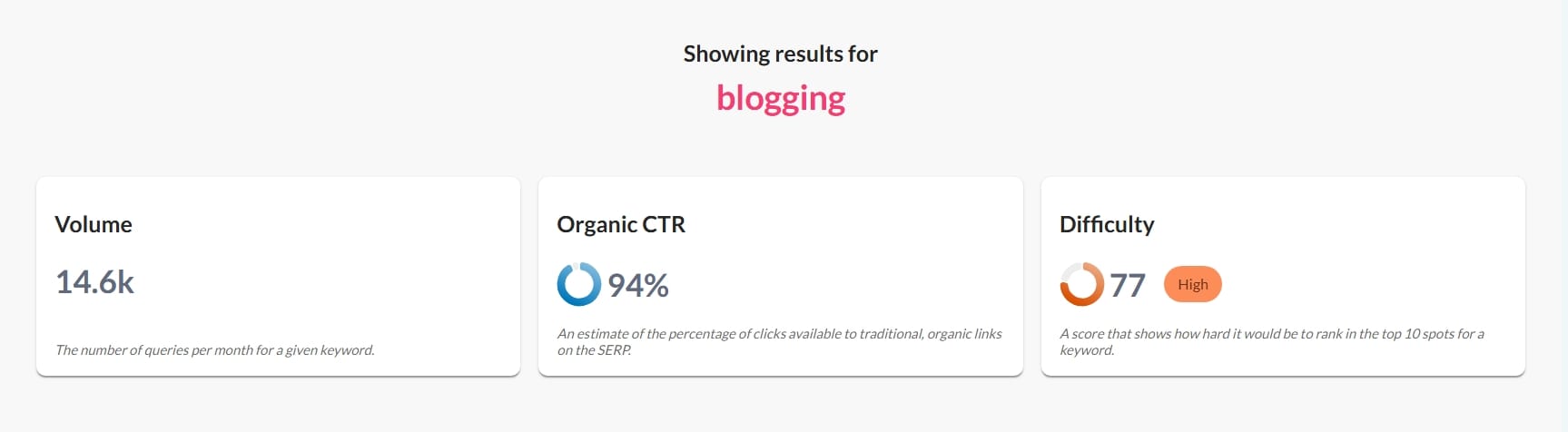
For example, instead of writing about a broad subject like: "Blogging" you can research more specific searches that could become individual articles.
This is particularly useful when you're trying to grow your blog through search traffic.