Sellfy Review 2026: Complete Beginner Tutorial for Selling Products Online
Sellfy is one of the easiest ecommerce platforms for creators selling digital products, memberships, subscriptions, and physical products. Here is a complete Sellfy review and tutorial for beginners.

Sellfy is one of the easiest store builders for selling digital and physical products in 2026, and in this Sellfy review and tutorial for beginners, I want to walk you through everything you need to know before deciding whether the platform is worth your time and money.
If you are a blogger, creator, entrepreneur, or someone trying to build an online business, there is a good chance you have thought about selling products directly instead of relying entirely on ads, affiliate marketing, or sponsored content.
In this guide, I will cover how Sellfy works, its major features, pricing plans, setup tutorial, pros and cons, and how it compares against other ecommerce platforms creators commonly consider.
If your primary goal is selling digital products, subscriptions, print-on-demand products, or physical goods without dealing with complicated ecommerce setup, Sellfy is easily one of the strongest platforms worth considering right now.
What Exactly Is Sellfy?
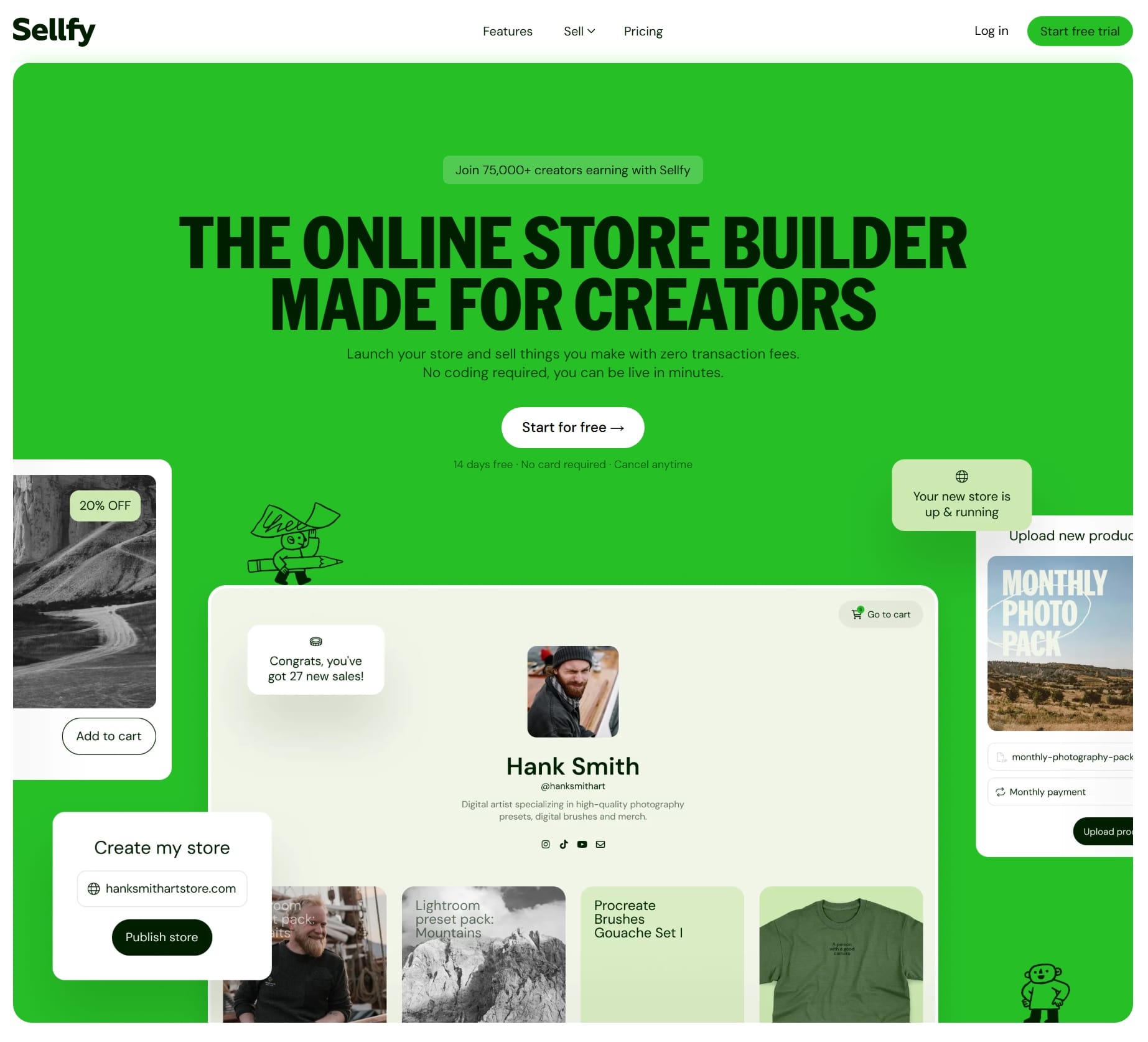
Sellfy is an ecommerce platform built primarily for creators and entrepreneurs who want a simple way to sell products online.
Sellfy was designed around creator commerce. The platform allows you to create a storefront, upload products, process payments, manage customers, and handle product delivery without needing separate tools.
- There is no need for separate hosting.
- No need for complicated website builders.
- No plugin management.
- No dealing with technical backend systems.
The platform handles everything while you focus on selling. This is exactly why Sellfy is popular among bloggers and digital creators.
What Can You Sell on Sellfy?
Sellfy is not limited to one business model. You can sell downloadable digital products such as ebooks, spreadsheets, design templates, business guides, PDF resources, stock photos, presets, and software files.
Creators selling subscriptions can also build recurring membership businesses.
Sellfy also supports physical products, which means users selling merchandise or physical goods can manage those products directly.
There is also built-in print-on-demand support which allows creators to sell branded merchandise without handling inventory manually.
If you want multiple income streams, Sellfy gives you everything on a silver platter.
Sellfy Features Breakdown
The reason Sellfy has become attractive in recent years is because it combines many important ecommerce tools inside one platform.
Many ecommerce platforms require creators to combine multiple external services just to operate efficiently and on a long run it becomes really expensive.
Here are some of Sellfy strongest features.
- Digital product selling
- Physical products selling
- Subscription products
- Print-on-demand
- Built-in storefront
- Discount codes
- Email marketing
- Product upsells
- Custom domain support
- Abandoned cart recovery
- Affiliate management system
- Product analytics
- No transaction fees
- No subscriber limitation
One thing worth highlighting here is the absence of transaction fees.
A lot of creator platforms take a percentage of every sale even on their paid plans. Some charge up to 10% fees on their paid plans and to remove the fees, you'll need to upgrade to higher plans costing around $200 per month. Sellfy does not, even on their starter plan costing $29/month ($22/month billed yearly).
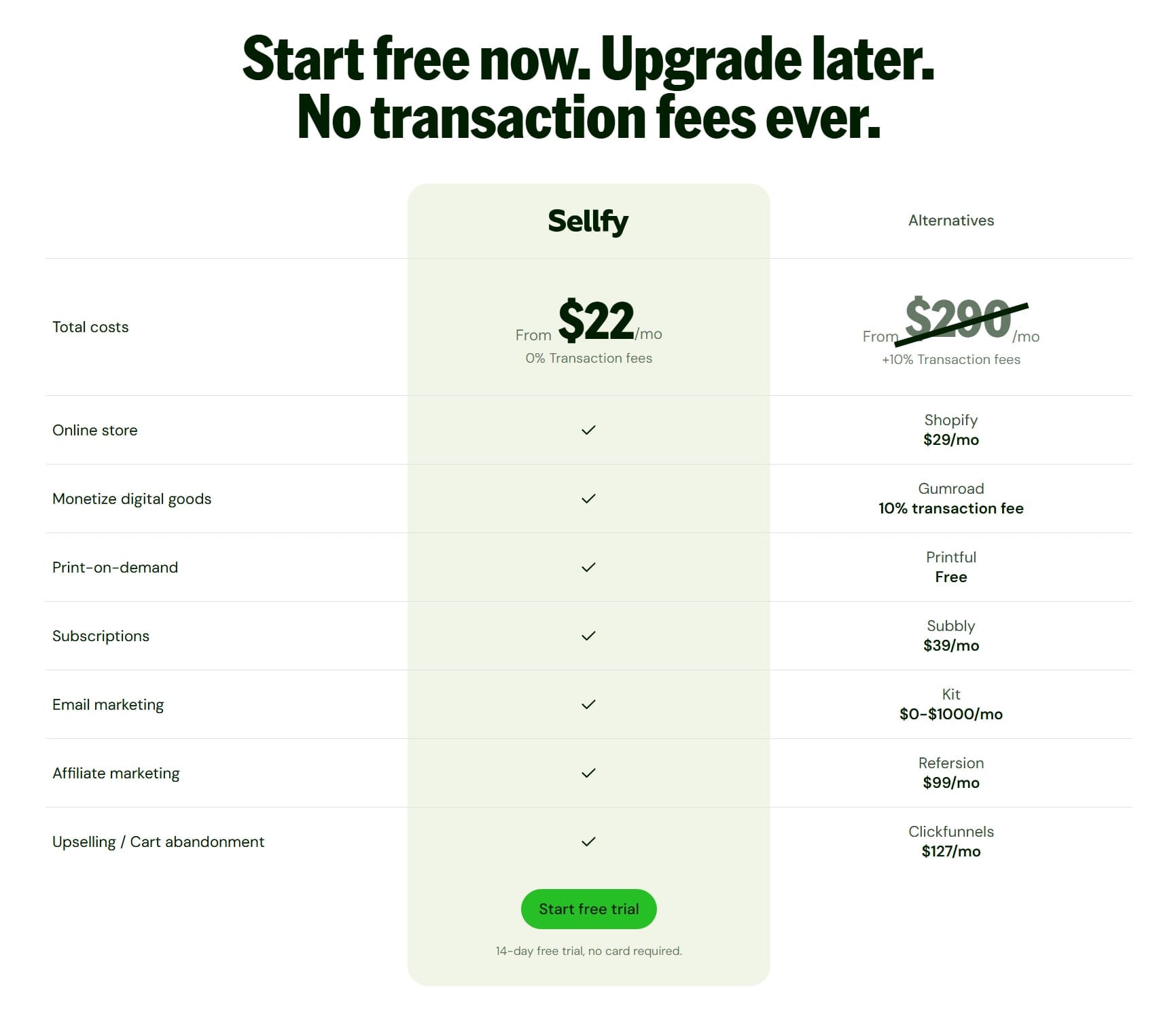
If you were to make use of different tools you will end up spending a whole lot of money that could have been invested in another important area of your business.
How to Set Up Your Sellfy Store
You can literally setup up your Sellfy store in minutes. Here's a step-by-step guide:
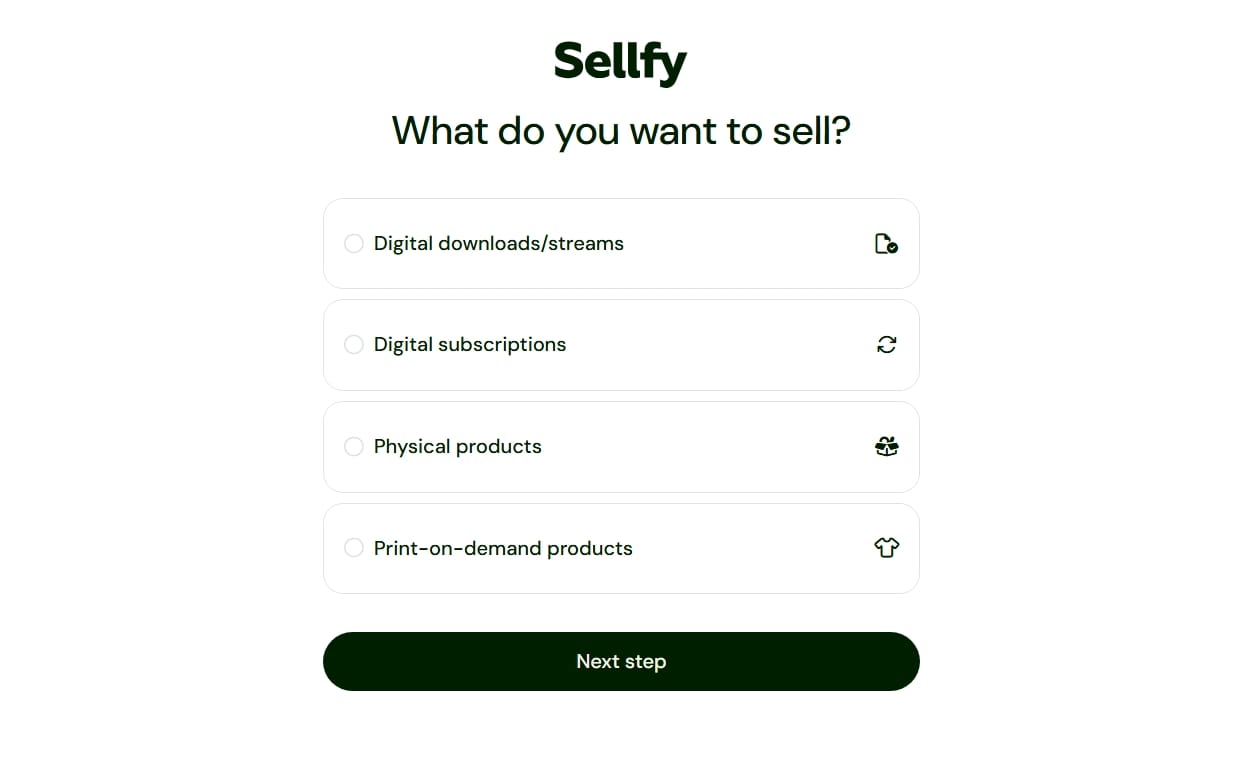
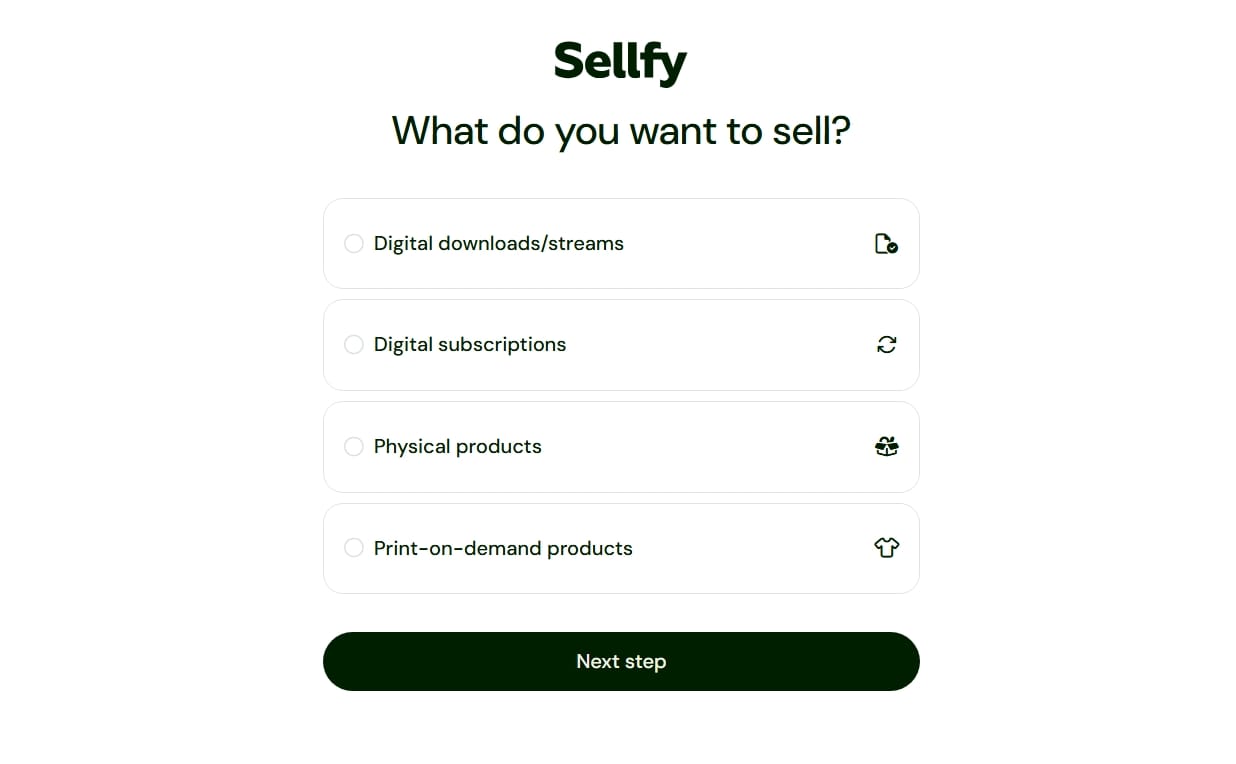
- Head over to Sellfy.com and pick a plan or start your free trial. Once you sign up, you'll be asked what you want to sell and you have options to pick from.
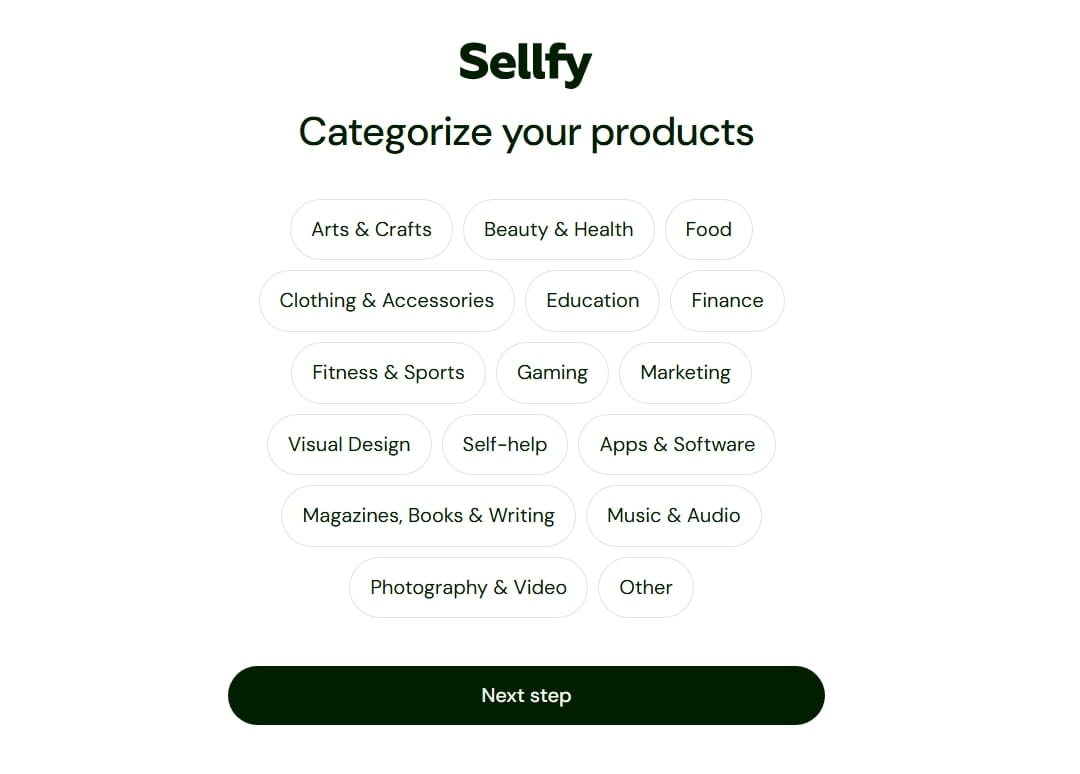
- After that, you'll need to categorize the products you will be selling on your store.
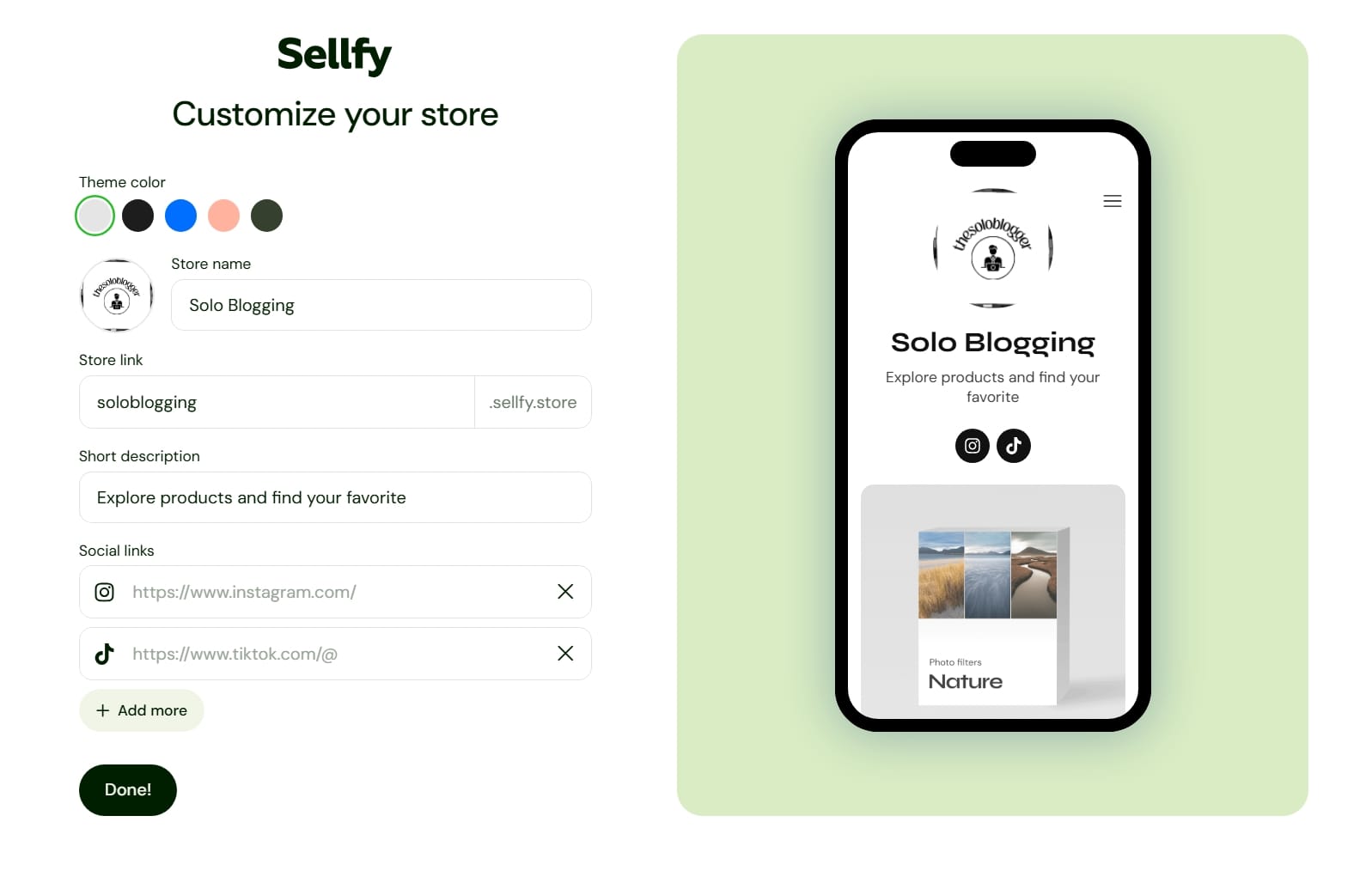
- Proceed to customize your storefront. This involves choosing your store name and description, adding a logo, selecting colors, and customizing your initial domain name.
- Once that step is completed and you're in your dashboard.
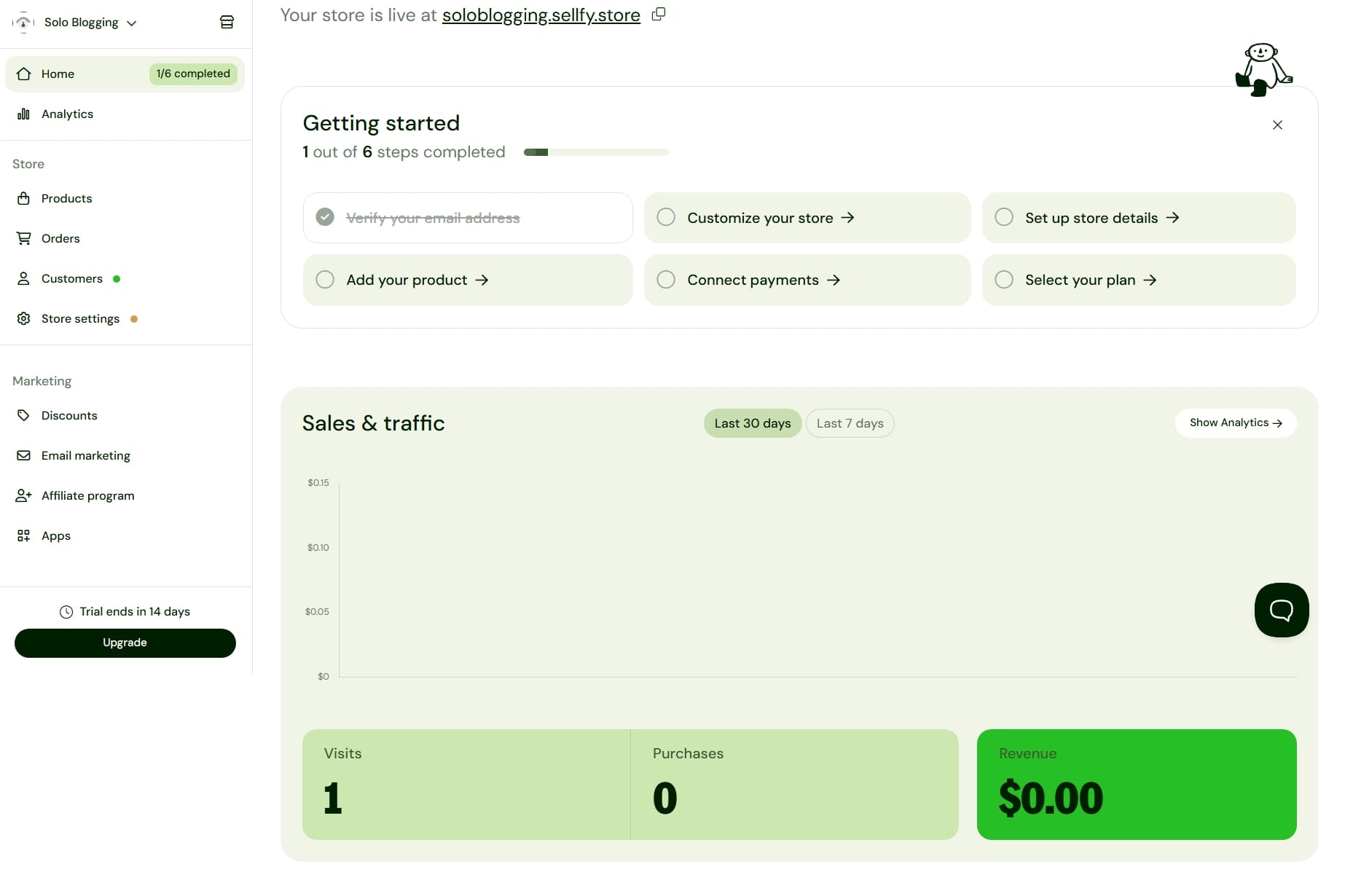
- The next step is product creation. You can choose your product format if it's a digital download like a PDF or a template, a print-on-demand product (tees, sweats, accessories and more), a membership/subscription product, a physical product or if you want to offer a freebie as a lead magnet to collect visitor's emails.
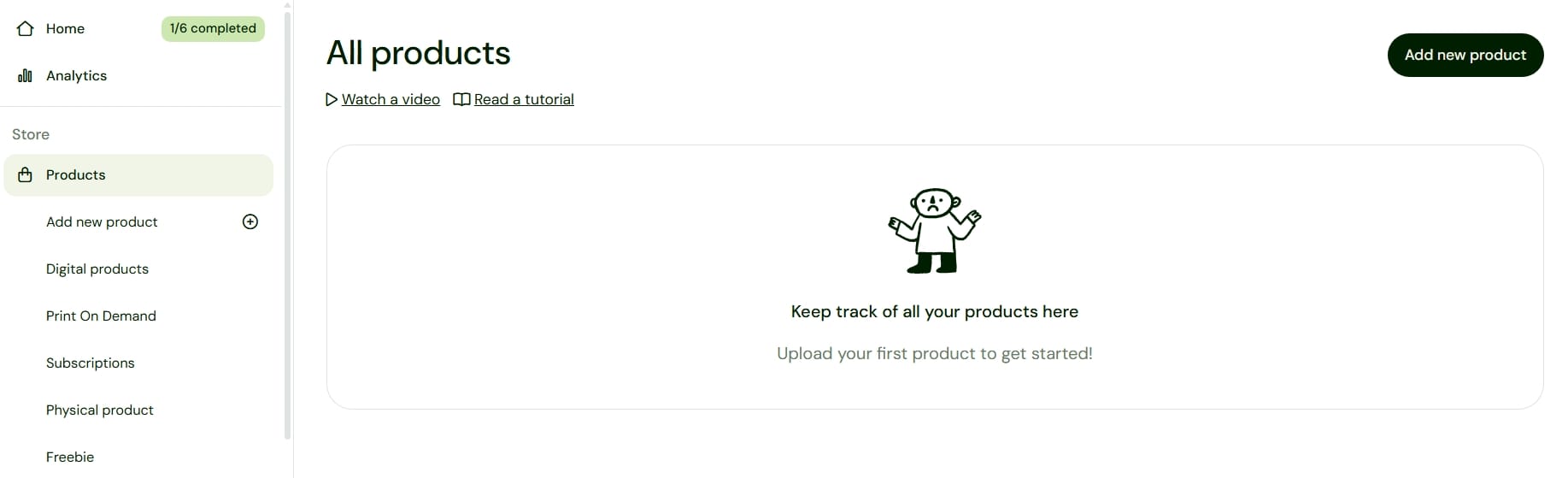
- You'll need your product image, name, description, category, price and content to add a new product. You can set "pay what you want" with a minimum accepted price and offer different variants of your products to your customers.
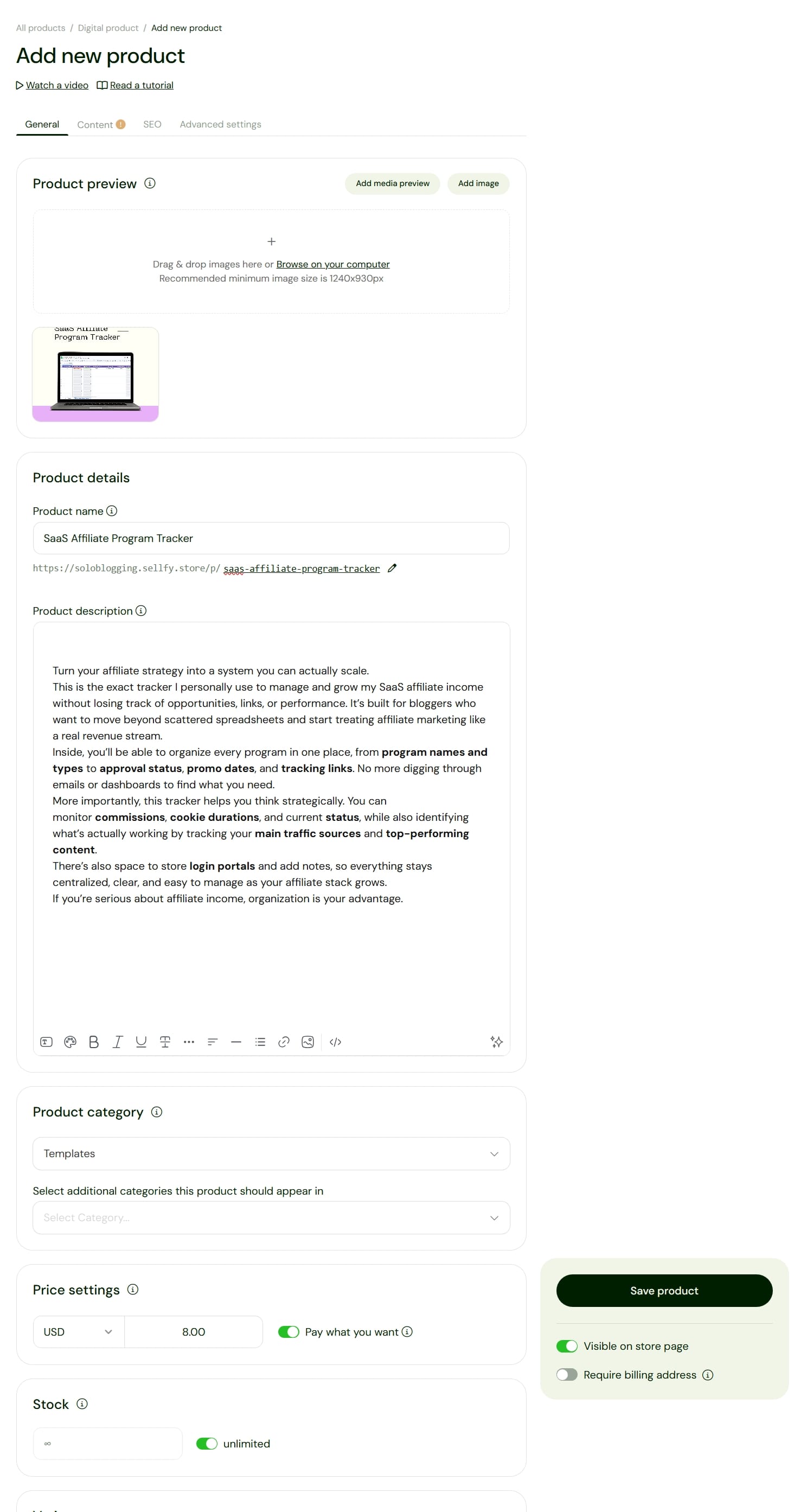
- Sellfy also gives you the freedom to deliver your products to in different format such as multiple files, sections, text and links. So, if you're selling a notion template, all you have to do is to add your published URL, and your customers will be able to make a copy to their Notion workspace.
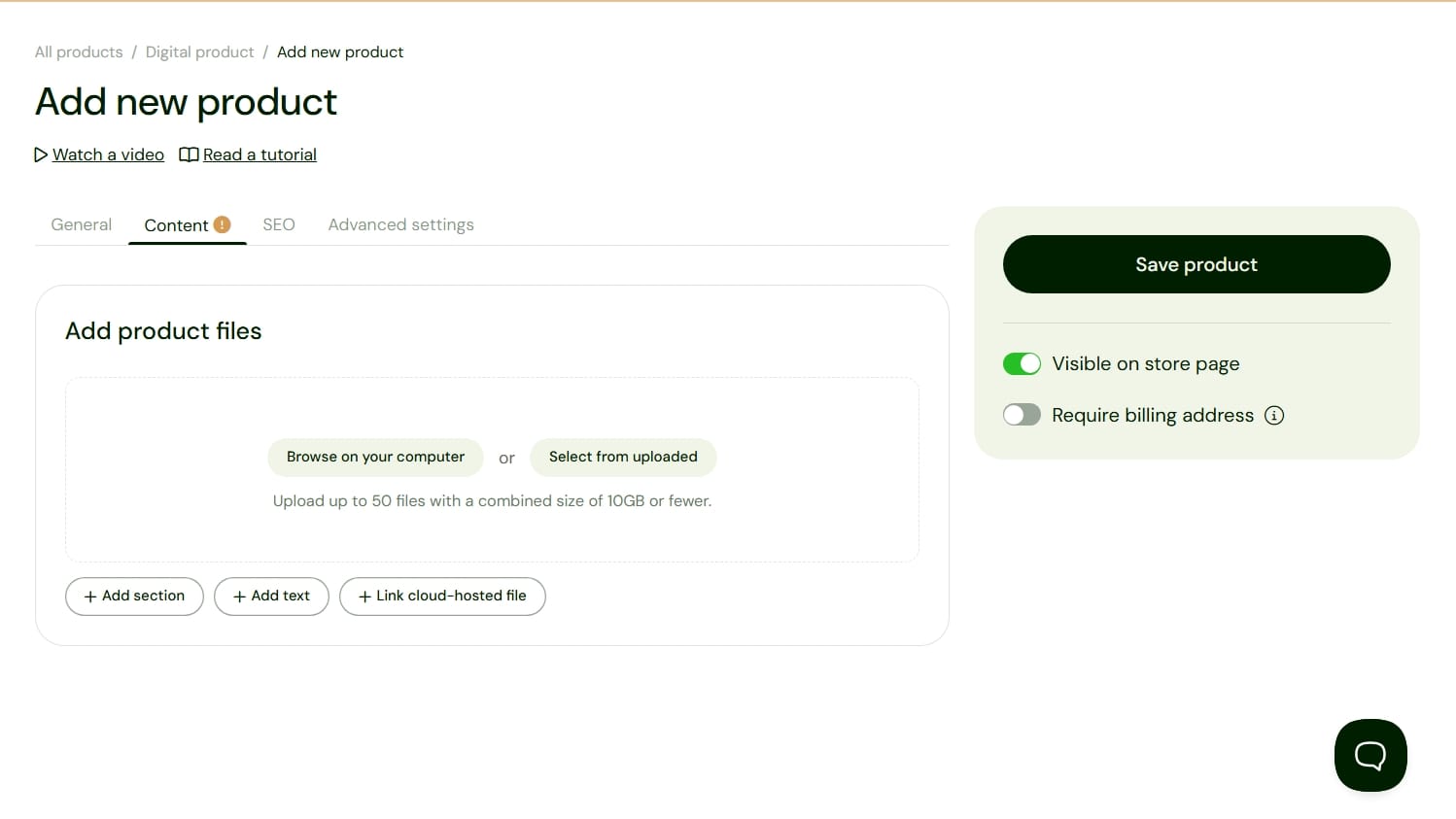
- Once you've done all these steps (including adding your meta titles and description for your product) publish your products to your storefront.
This simplicity is one of the strongest reasons I recommend beginners to choose Sellfy.
Setting Up a Custom Domain for Your Store
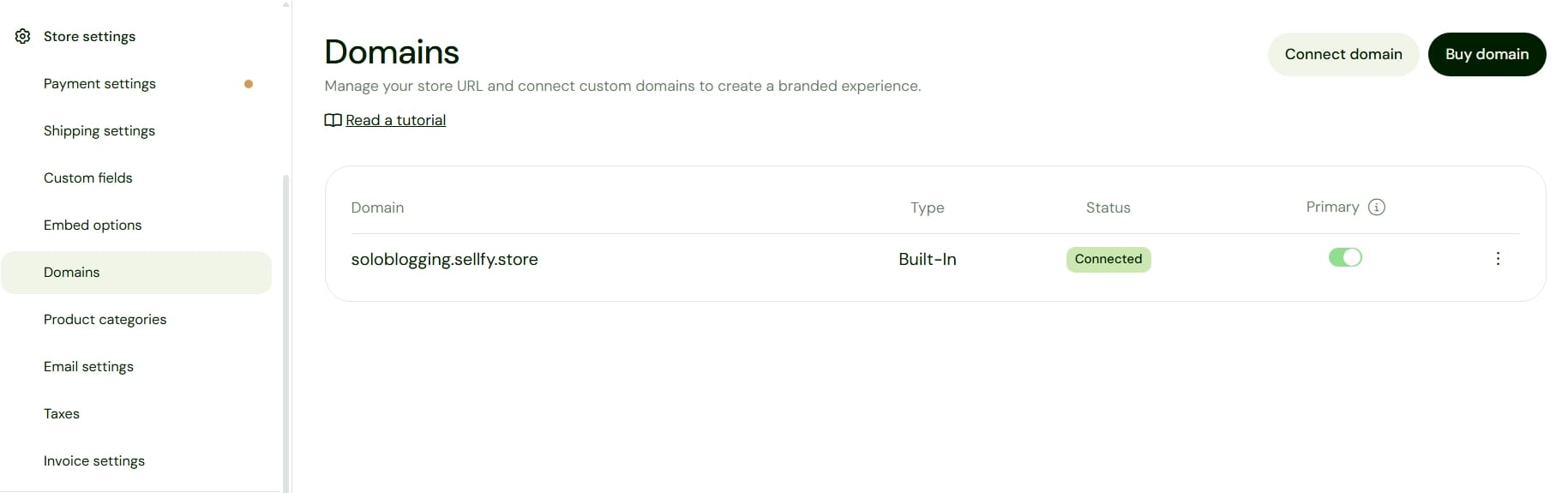
To setup a custom domain for your store, all you need to do is to head over to Store setting > Domains and right there you can connect your existing domain or purchase a new one.
If you don't have a domain yet, I recommend you get one from Namecheap. They offer really great prices, and you get forever free domain privacy. Namecheap is where I purchase thesoloblogger.com domain and every other of my business domains.
Payment Processing on Sellfy
Sellfy integrates directly with Stripe and PayPal. Connecting payment processors is relatively straightforward and takes approximately one to two minutes.
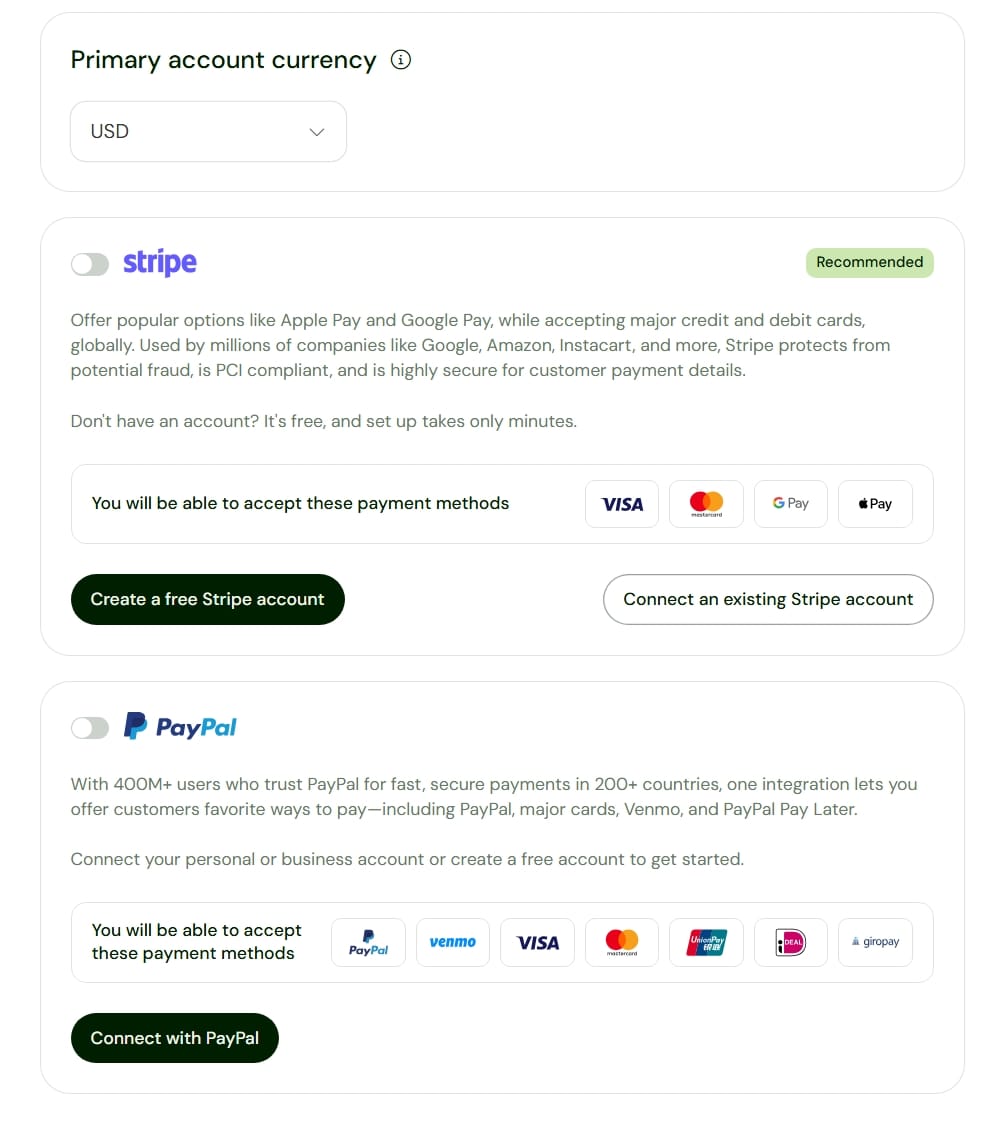
Once connected, your customers can complete purchases directly from your storefront and products are delivered automatically.
Sellfy Pricing Plans
Unlike some platforms that charge high monthly fees and still take a cut from your transaction fees, Sellfy pricing is very affordable.
| Plan | Monthly Price | Best For |
| Starter | $29/month | Beginners launching first products |
| Business | $79/month | Growing businesses selling regularly |
| Premium | $159/month | Established stores needing advanced scaling |
As mentioned earlier, you can save 25% off through yearly plans.
Why I Like Sellfy for Bloggers and Creators In General
I've spent a lot of time testing different creator platforms and ecommerce software. And one thing I consistently notice is that many tools overcomplicate simple problems just to extort more money from their customers.
If a blogger simply wants to sell an ebook or downloadable product, there is no reason they should spend weeks watching tutorials on YouTube.
I also appreciate the fact that creator's profits are not taken through transaction fees as sales increase. And unlike a few creator platforms, Sellfy does not restrict users based on subscriber growth. This creates a more predictable business environment.
Where Sellfy Falls Short
No platform is perfect.
While I know Sellfy performs extremely well, there are some limitations you should understand.
- Sellfy storefront customization is as flexible as other platforms like Shopify and WooCommerce.
- Sellfy does not have advanced funnel builders as sophisticated as dedicated sales platforms like ClickFunnels.
- If you have plans on running extremely large product catalogs, you may eventually outgrow the platform.
- Creators wanting highly advanced automation systems may eventually need additional tools.
These limitations do not make Sellfy bad, they simply help clarify who the platform is actually built for.
Sellfy vs Shopify vs Podia vs ClickFunnels vs Kartra
Choosing an ecommerce platform is rarely about finding the “best” platform overall. It is about finding the platform that matches the type of business you are trying to build.
Some platforms are built for creators selling simple digital products. Others focus heavily on physical ecommerce, advanced sales funnels, memberships, automation, or scaling larger businesses.
To make things easier, here is how Sellfy compares against some of the most popular ecommerce platforms creators and bloggers often consider.
| Features | Sellfy | Shopify | Podia | ClickFunnels | Kartra |
|---|---|---|---|---|---|
| Starting Price | $29/month | $39/month | $49/month | $97/month | $59/month |
| Transaction Fees | No | Additional payment fees may apply | 5% fees | No | 5% fees |
| Digital Product Selling | Excellent | Good | Excellent | Excellent | Very Good |
| Physical Product Selling | Excellent | Excellent | No | Very Good | No |
| Course Selling | Excellent | Moderate | Excellent | Excellent | Excellent |
| Membership Subscriptions | Yes | Requires apps | Yes | Yes | Yes |
| Email Marketing | Built-in | Requires integrations | Built-in | Advanced | Advanced |
| Sales Funnels | Moderate | Limited | Moderate | Excellent | Excellent |
| Storefront Builder | Built-in | Advanced | Built-in | Funnel-focused | Moderate |
| Affiliate Program Management | Built-in | Requires apps | Basic | Advanced | Advanced |
| Ease of Use | Excellent | Moderate | Excellent | Moderate | Moderate |
| Design Flexibility | Moderate | Excellent | Good | Good | Good |
| Best for Beginners | Excellent | Moderate | Excellent | Moderate | Moderate |
| Scalability | Good | Excellent | Good | Very Strong | Very Strong |
| Subscriber Limitations | None | None | Plan limits apply | Depends on plan | Depends on plan |
One reason Sellfy stands out is that it keeps the balance between simplicity and functionality. Sellfy allows creators to start selling immediately without worrying about transaction fees or subscriber restrictions.
If your priority is selling digital products quickly, Sellfy is significantly easier and affordable than most alternatives.
Who Should Use Sellfy?
- If you are a blogger selling digital downloads
- A creator launching templates
- An entrepreneur building small digital businesses
- Or someone who simply wants to start monetizing without spending weeks learning ecommerce systems
Frequently Asked Questions About Sellfy
Is Sellfy good for beginners who have never sold online before?
Yes. One of Sellfy’s biggest strengths is how simple the platform feels. You do not need technical experience, coding knowledge, or prior ecommerce experience to start selling products.
Can I sell both digital and physical products on Sellfy?
Yes. Sellfy allows users to sell digital downloads, subscription products, physical goods, and even print-on-demand merchandise from the same store.
Is Sellfy better than Shopify for bloggers?
It depends on what you are selling. If you simply want to sell digital products like ebooks, templates, guides, or memberships, Sellfy is usually easier. Shopify becomes better when building larger ecommerce businesses focused heavily on physical products.
Can I use Sellfy to sell ebooks and downloadable resources?
Absolutely. Sellfy is particularly popular among creators selling ebooks, digital templates, PDF guides, spreadsheets, design assets, and downloadable resources.
Does Sellfy support subscription or recurring payments?
Yes. Creators can build subscription products and recurring payment systems directly on the platform, making it useful for memberships and premium content businesses.
Can I connect my own custom domain to Sellfy?
Yes. Sellfy allows creators to connect custom domains so their storefront looks fully branded instead of using a Sellfy subdomain.
Is Sellfy a good option for bloggers selling their first digital product?
I think this is one of Sellfy’s strongest use cases. If you are a blogger launching your first ebook, template, resource library, or digital product, Sellfy removes much of the technical complexity that usually slows beginners down.
What is the biggest advantage of Sellfy compared to other ecommerce platforms?
The biggest advantage is simplicity. You get an ecommerce platform that supports multiple product types, built-in marketing features, no transaction fees, and no subscriber restrictions without needing advanced technical setup.
To Conclude About Selling on Sellfy as a Blogger
If you're still relying entirely on ad revenue or affiliate commissions, you only creating a limitation for your business. Owning your own products changes everything.
Instead of earning small commissions promoting someone else’s products, you are building assets fully under your control.
Want a fast, beautiful blog without the tech stress? Ghost is the platform I personally use and recommend. Built for independent bloggers, it comes with everything you need and nothing you don't. Blogs are also great channels to market your digital products.
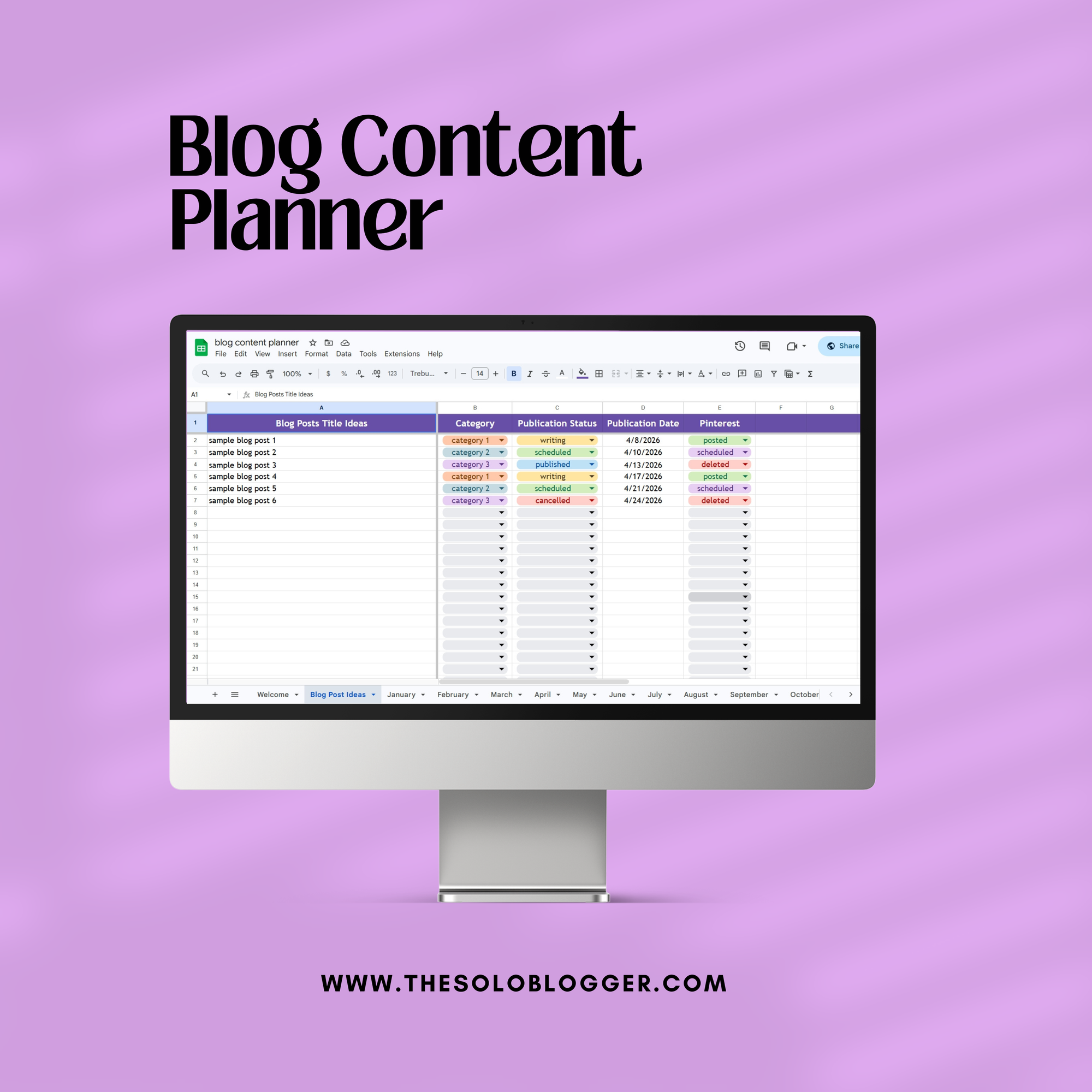
Blog Content Planner
This is the exact content planner I personally use to stay consistent, organized, and intentional with my blog growth. It’s designed for bloggers who want clarity across their content, not scattered ideas and missed publishing dates.
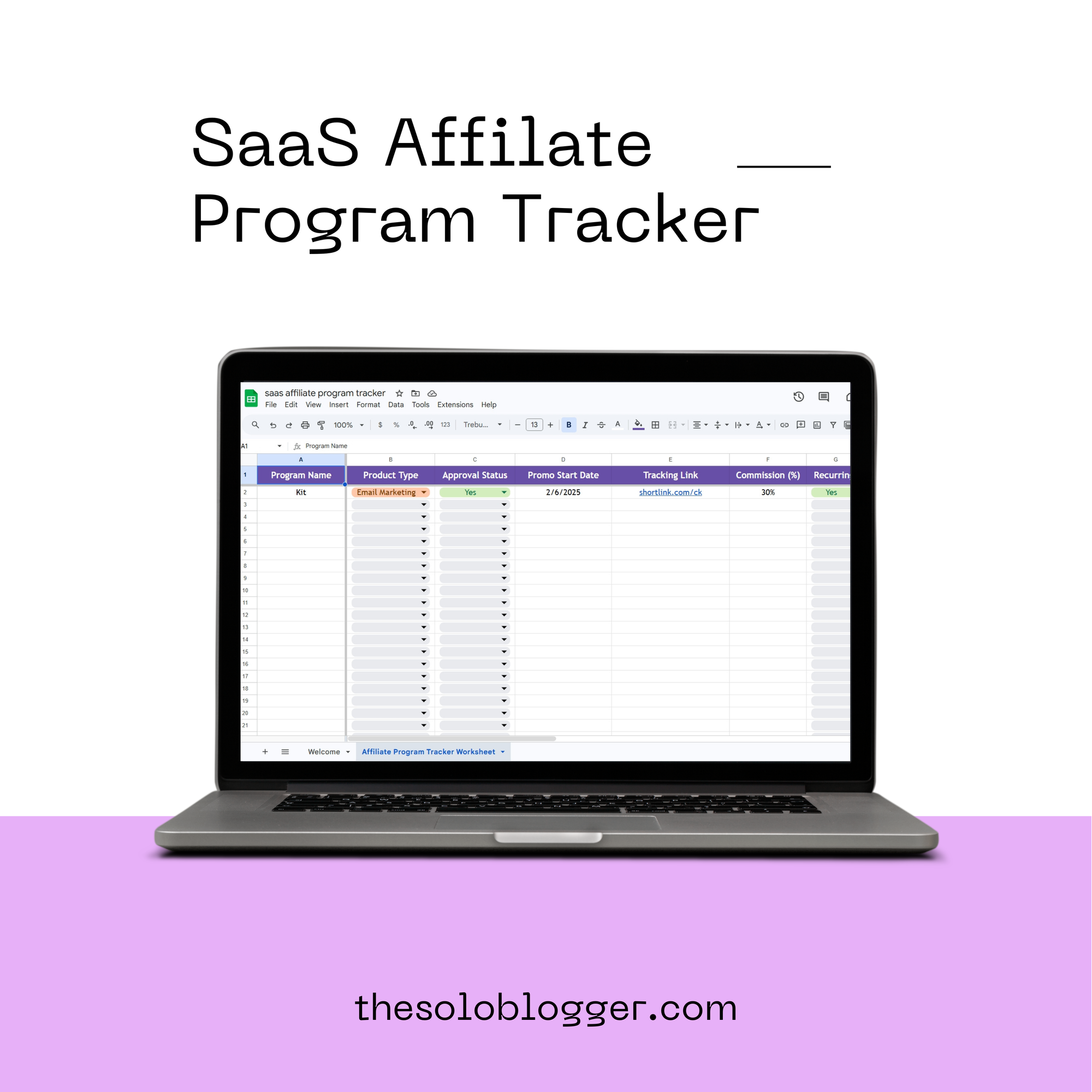
SaaS Affiliate Program Tracker
This is the exact tracker I personally use to manage and grow my SaaS affiliate income without losing track of opportunities, links, or performance. It’s built for bloggers who want to move beyond scattered spreadsheets and start treating affiliate marketing like a real revenue stream.
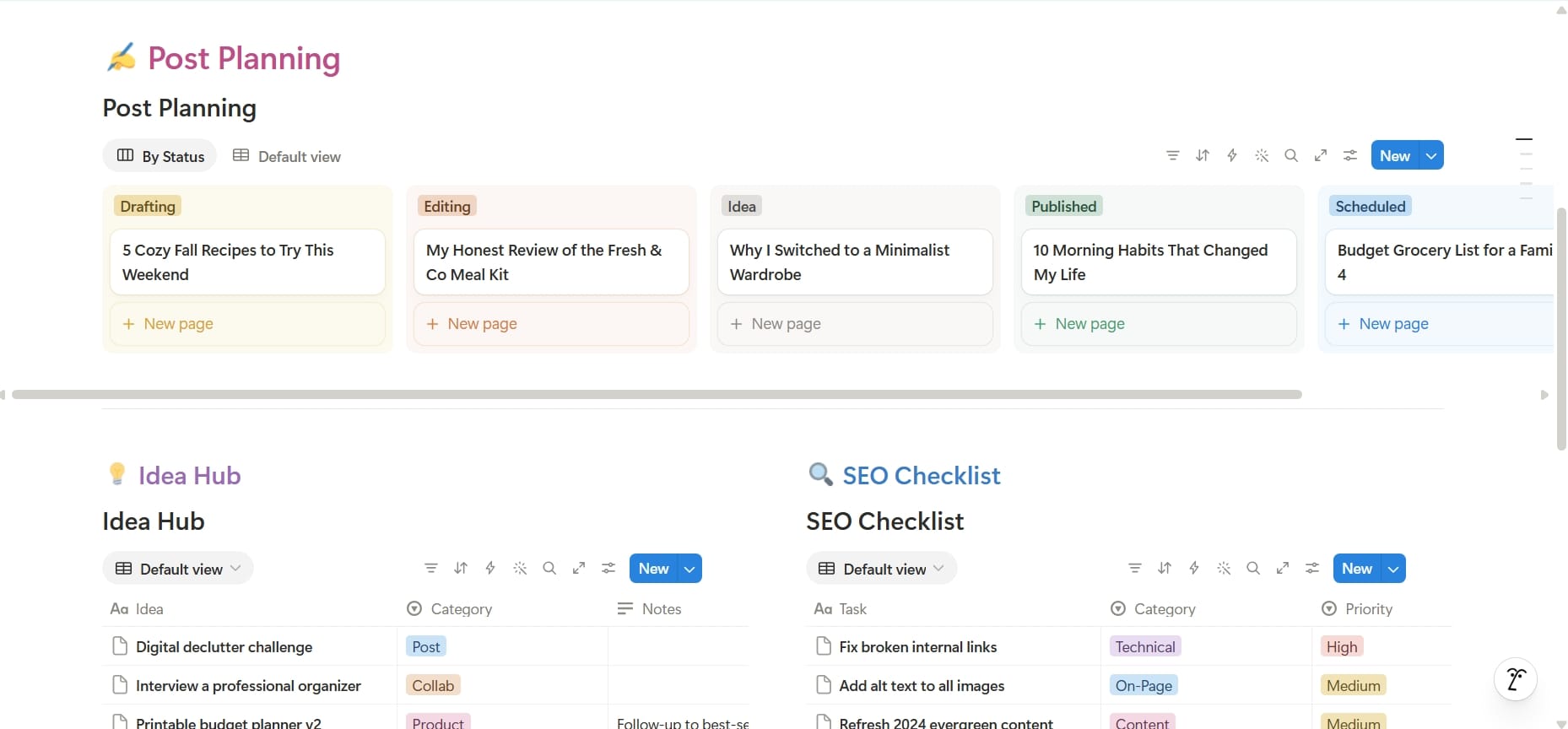
Blogger Business OS
Run your entire blogging business from one organized Notion workspace.
What's inside?
- Content and post planning
- Blog idea hub
- Affiliate link manager
- SaaS subscription tracker
- Business expense tracker
- Sponsorship management
- Product tracker
- Lead management
- Guest post management
- Tasks and milestones
- SEO checklist
- Blogging niches library and idea bank
- Landing page management
- Blog website landing page
- Important websites database
- Blogging business plan
- Business calendar
- Improvement tracker
- Employee database
- Website and site manager
- Recommendations and resources for readers
Whether you're starting your first blog or already running multiple websites, this template gives you a central place to organize the business side of blogging.
Plan better. Stay organized. Spend less time searching for information and more time growing your blog.
You might also like
10 Best Ecommerce Tools for Bloggers Selling Products Online in 2026
Want to monetize your blog? Compare the best ecommerce tools for selling digital products, courses, memberships, newsletters, webinars, and physical products online.
How to Monetize Your WordPress.com Blog with Paid Content Subscriptions (Beginner Guide)
WordPress.com lets bloggers monetize content with built-in paid subscriptions, even on the free plan. Learn how it works, platform fees, WooCommerce alternatives, and how to start earning recurring income.
10 Proven Online Business Ideas to Make Money Online In 2026
You don't need a big team, a huge budget, or years of experience to build a profitable online business. You need the right idea and a plan. Here are 10 proven models that people are using right now to generate consistent income and exactly what it takes to get started.